
Tatilica
Experte
- Mitglied seit
- 10.06.2020
- Beiträge
- 199
- Ort
- Romania
- Desktop System
- Tatili
- Details zu meinem Desktop
- Prozessor
- Ryzen 9900x3D
- Mainboard
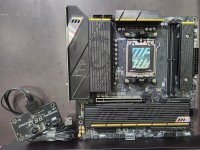
- X870 TOMAHAWK Wifi
- Kühler
- ID Cooling FX240 PRO Black
- Speicher
- Gskill Neo 8000Mhz CL38
- Grafikprozessor
- Asus ProArt OC RTX 4070Super
- Display
- Asus Rog Swift 1440p/165hz
- SSD
- Corsair MP700 PRO 1TB PCI-e 5.0 x4.0
- Gehäuse
- Montech Sky Two GX
- Netzteil
- Corsair 2024 RM1000x ATX 3.1
- Betriebssystem
- Windows 11
Yes, i rolled back "a" all the time, idk about AsRock, but MSI has a tool forOh, interesting!
@Tatilica please better explain, did you install "e" and/or "f" and afterwards you were able to roll back to "a"? How? I made the same experience with my ASRock Nova, installed "e" and my 6400-26 profile was instable. When I rolled back to "c" I faced the same instability. I assumed that the "not removable" part created this issue. I went forward and back between "e" and "c" about 4 times and was never again able to get the 6400-26 profile stable. So I'm really curios how to completely roll back my ASRock bios, but how to? With USB programmer?

Updated UEFI flash-tool version to V1.57
* Updated internal assembly modules /sys lang modules/
* Updated replacer module (part of build-in self updater)
* Add support for newest msi AMD BIOSes formats: 9.4
* Updated .efi & shell script modules
* Add support for newest MSI AMD platform boards:
- X870 GAMING PLUS WIFI
- MEG X870E GODLIKE
- MAG X870 TOMAHAWK WIFI
- PRO X870-P WIFI
- MPG X870E CARBON WIFI
Zuletzt bearbeitet: