
Sammelthread für die ASUS ROG Strix X670E Gaming WIFI Serie
In dem Thread geht es nur um die Strix x670E Serie. Andere Board Fragen haben hier nichts verloren, danke.
Herstellerseite: STRIX X670E-E / STRIX X670E-F / STRIX X670E-A / STRIX X670E-I
Support/Treiber/Bios (Hersteller): STRIX X670E-E / STRIX X670E-F / STRIX X670E-A / STRIX X670E-I
Support/Treiber/Bios (Alternative): STRIX X670E-E / STRIX X670E-F / STRIX X670E-A
Geizhals: STRIX X670E-E / STRIX X670E-F / STRIX X670E-A / STRIX X670E-I
Geizhals Vergleich: Strix X670E-E/F/A/I
Bios Übersicht: AM5 AGESA/UEFI/BIOS Info & Laberthread
AM5 Laberthread: https://www.hardwareluxx.de/community/threads/amd-am5-lga1718-mainboard-info-laberthread.1311067/
ECO Mode Guide: https://www.overclock3d.net/reviews/cpu_mainboard/amd_eco_mode_guide_for_am5/1
Reviews:
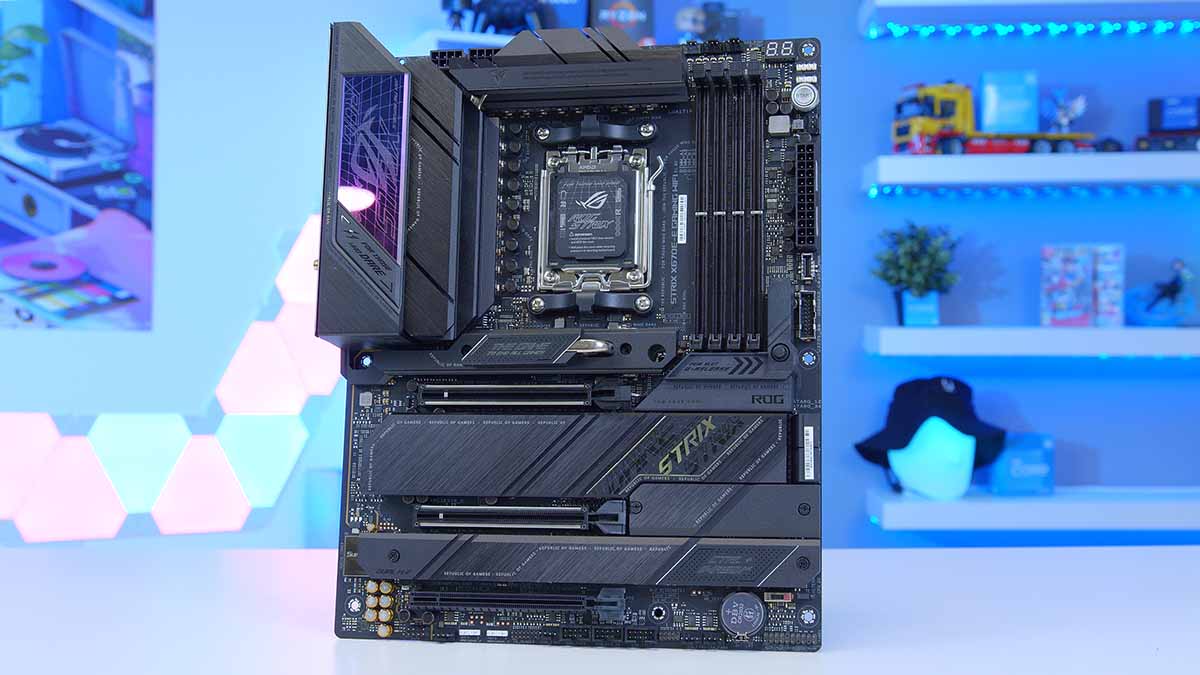
ASUS ROG Strix X670E-E Gaming WiFi Review - GeekaWhat
In today's review we're looking at one of ASUS' brand new top-performing E-ATX boards on the X670E chipset, the ASUS ROG STRIX X670E-E Gaming WiFi edition!
 www.geekawhat.com
ASUS ROG Strix X670E-E Gaming WiFi - Planet 3DNow!
Auf Planet 3DNow! gibt es alle wichtigen Informationen fr AMD-User: News, Downloads, Support, Tests
www.planet3dnow.de

Asus ROG Strix X670-E Gaming WiFi review: Everything a gamer needs
The Asus ROG Strix X670-E Gaming WiFi motherboard comes with some fantastic next-gen features such as PCIe Gen 5 and DDR5, but lacks a few premium non-gamer-centric elements that would appeal to a wider audience.
 www.pcworld.com
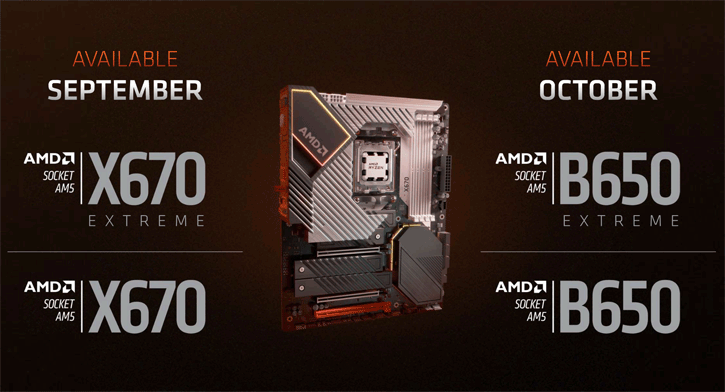
ASUS STRIX X670E-E Gaming WIFI review
ASUS has released their high-end X670E series motherboards for Ryzen 7000. We review the Strix X670E-E Gaming WIFI, which includes multiple M2 slots (PCIe Gen4/Gen5a), a 2.5 GigE port, and WIFI6E, as ...
 www.guru3d.com
Reviews in anderer Sprache: https://www.hardwareluxx.de/communi...e-e-f-a-gaming-wifi-am5.1324266/post-29522793
Reviews Archive - OC3D
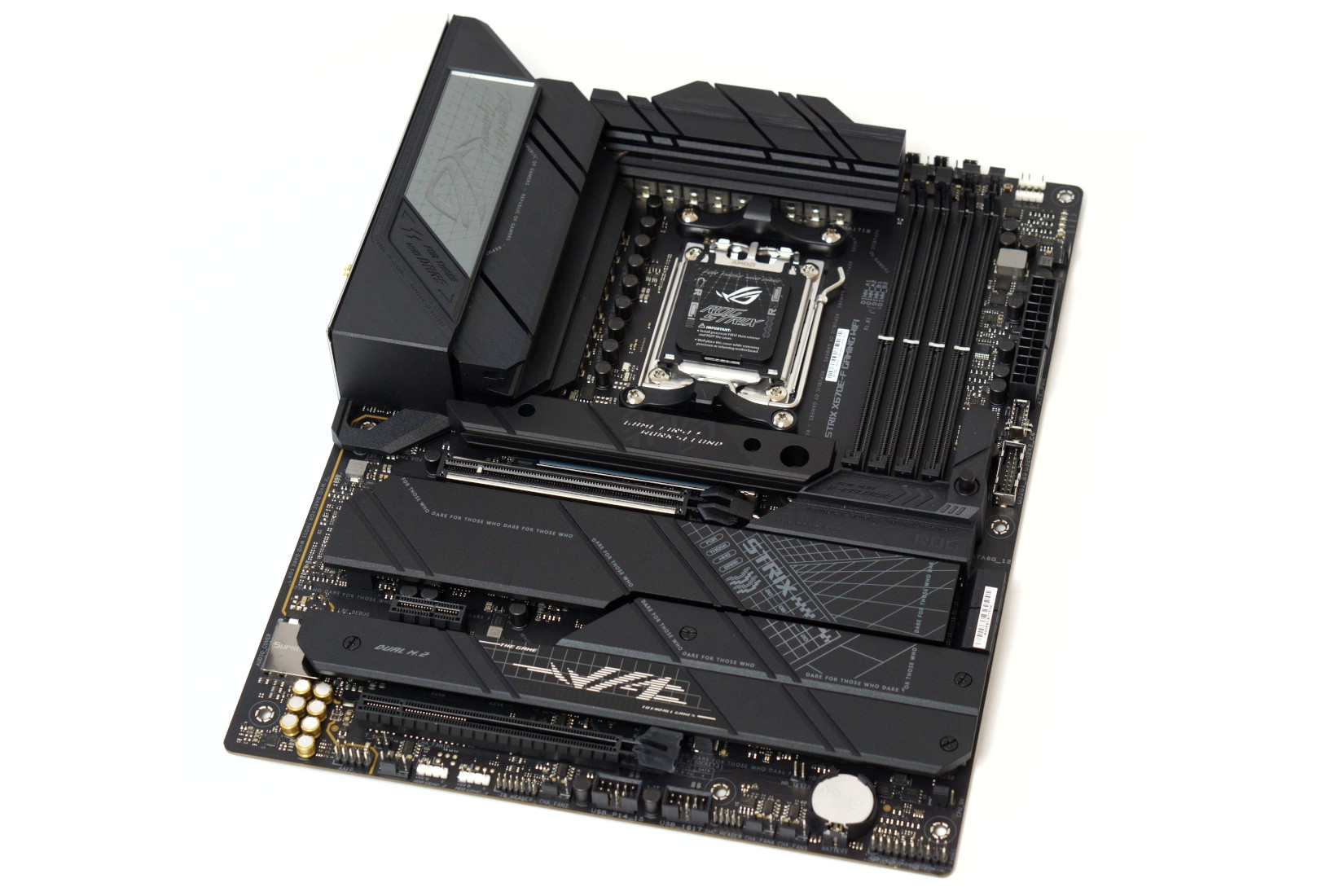
ASUS ROG Strix X670E-F Gaming Wifi im Test
Mit dem ROG Strix X670E-F Gaming Wifi testen wir unser erstes AM5 Mainboard und werfen einen Blick auf die Ausstattung, Leistung und Probleme.
 hardware-helden.de

ASUS ROG Strix X670E-F Gaming WiFi im Test: Runde Ausstattung für Raphael - Hardwareluxx
Mit dem ROG Strix X670E-F Gaming WiFi bietet ASUS eine AM5-Platine mit runder Ausstattung an.
 www.hardwareluxx.de
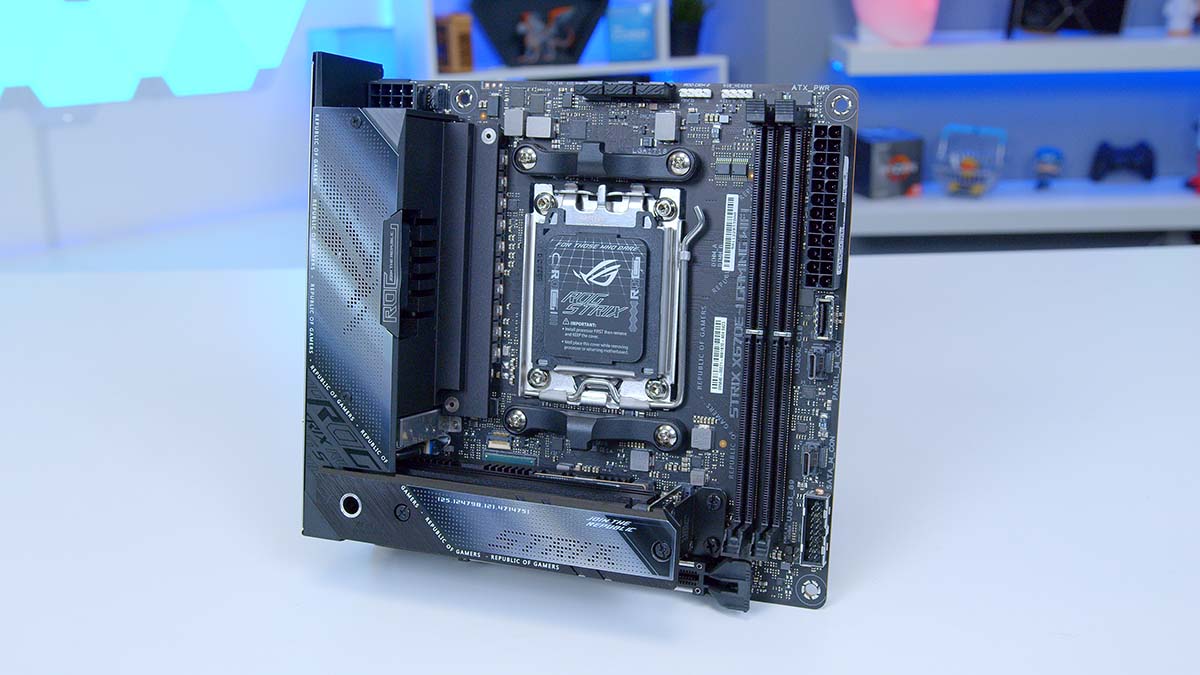
ASUS ROG Strix X670E-I Gaming WiFi Review - GeekaWhat
In today's review, we're delving into the features, aesthetics, and BIOS of ASUS' Mini-ITX board, the ROG Strix X670E-I Gaming WiFi!
www.geekawhat.com

ASUS ROG Strix X670E-I Gaming WiFi review - TechGaming
Reviewoverzicht ITX zonder compromissen! 9 Score 9 Yay! Uitstekende prestaties; net zo snel als grotere borden. I/O achter biedt 2x USB4, 5x 3.2 Gen 2 (10 Gbps) en 3x 2.0. Fysieke schakelaar voor uitvoer PCIe 4.0 of PCIe 3.0. PCIe 5.0 voor zowel de GPU als één van de M.2-sloten. ROG Hive voegt...
 techgaming.nl
Besonderheiten:
- Optimiertes Kühlungsdesign: Massive VRM-Kühlkörper plus integrierte Aluminium-E/A-Abdeckung, hochleitfähiges Wärmeleitpad, L-förmige Heatpipe, M.2 Combo-Kühlkörper und M.2 Backplate für den PCIe® 5.0 M.2_1 Steckplatz, drei Onboard-M.2-Kühlkörper sowie ein massiver M.2-Kühlkörper als Zubehör
- Übertaktungstechnologien: Dynamic OC Switcher, Ryzen Core Flex, Asynchroner Takt und PBO-Verbesserung
- Hochleistungsnetzwerke: Onboard WiFi 6E, Intel® 2,5 Gb Ethernet und ASUS LANGuard
- Branchenführendes Audio: ROG SupremeFX ALC4080 mit Savitech SV3H712 Verstärker, zusammen mit DTS® Sound Unbound und Sonic Studio III
- Unübertroffene Personalisierung: ASUS-exklusive Aura Sync RGB-Beleuchtung, einschließlich eines RGB-Headers und drei adressierbaren Gen 2 RGB-Headern
- DIY-freundliches Design: Einschalttaste, vormontiertes I/O Shield, PCIe Slot Q-Release, M.2 Q-Latch, Q-Code, Q-LED, BIOS FlashBack™, Clr CMOS Button, FlexKey, SafeSlot und SafeDIMM
- Intelligente Steuerung: ASUS-exklusive Tools wie AI Cooling II, Two-Way AI Noise-Cancelation und AI Networking für eine einfache Konfiguration
- Renommierte Software: 60-Tage-Testversion von AIDA64 Extreme und intuitives UEFI BIOS-Dashboard im Lieferumfang enthalten
Spezifikationen ROG STRIX X670E-E GAMING WIFI:
CPU
AMD Socket AM5 for AMD Ryzen™ 7000 Series Desktop Processors** Refer to www.asus.com for CPU support list.
Chipset
AMD X670Memory
4 x DIMM, Max. 128GB, DDR56400+(OC)/ 6200(OC)/ 6000(OC)/ 5800(OC)/
5600(OC)/ 5400(OC)/ 5200/ 5000/ 4800 ECC and Non-ECC, Un-buffered Memory*
Dual Channel Memory Architecture
Supports AMD EXTended Profiles for Overclocking (EXPO™)
OptiMem II
* Supported memory types, data rate(Speed),
and number of DRAM module vary depending on the CPU and memory configuration, for more information refer to www.asus.com for memory support list.
* Non-ECC, Un-buffered DDR5 Memory supports
On-Die ECC function
Graphics
1 x DisplayPort**1 x HDMI® port***
**Supports max. 8K@60Hz as specified in DisplayPort 1.4.
***Supports 4K@60Hz as specified in HDMI 2.1.
Expansion Slots
AMD Ryzen™ 7000 Series Desktop Processors2 x PCIe 5.0 x16 slots (supports x16 or x8/x4 modes)
AMD X670 Chipset
1 x PCIe 4.0 x16 slot (supports x4 mode)
Storage
Total supports 4 x M.2 slots and 4 x SATA 6Gb/s ports*AMD Ryzen™ 7000 Series Desktop Processors
M.2_1 slot (Key M), type 2242/2260/2280 (supports PCIe 5.0 x4 mode)
M.2_2 slot (Key M), type 2242/2260/2280 (supports PCIe 5.0 x4 mode)
M.2_3 slot (Key M), type 2242/2260/2280/22110 (supports PCIe 5.0 x4 mode))
AMD X670 Chipset
M.2_4 slot (Key M), type 2242/2260/2280 (supports PCIe 4.0 x4 mode)
4 x SATA 6Gb/s ports
*AMD RAIDXpert2 Technology supports both NVMe RAID 0/1/10 and SATA RAID 0/1/10.
Ethernet
1 x Intel® 2.5Gb EthernetASUS LANGuard
Wireless & Bluetooth
Wi-Fi 6E2x2 Wi-Fi 6E (802.11 a/b/g/n/ac/ax)
Supports 2.4/5/6GHz frequency band*
Bluetooth v5.2
* WiFi 6E 6GHz regulatory may vary between
countries, and function will be ready in Windows 11 or later.
**The Bluetooth version may vary, please refer to the Wi-Fi module manufacturer's website for the latest specifications
USB
Rear USB (Total 13 ports)1 x USB 3.2 Gen 2x2 port (1 x USB Type-C®)
12 x USB 3.2 Gen 2 ports (10 x Type-A + 2 x
USB Type-C®)
Front USB (Total 9 ports)
1 x USB 3.2 Gen 2x2 connector
1 x USB 3.2 Gen 1 header supports additional 2 USB 3.2 Gen 1 ports
3 x USB 2.0 headers support additional 6 USB 2.0 ports
Audio
ROG SupremeFX 7.1 Surround Sound HighDefinition Audio CODEC ALC4080
- Impedance sense for front and rear
headphone outputs
- Supports: Jack-detection, Multi-streaming, Front Panel Jack-retasking
- High quality 120 dB SNR stereo playback
output and 113 dB SNR recording input
- Supports up to 32-Bit/384 kHz playback
Audio Features
- Audio Shielding
- Savitech SV3H712 AMP
- Gold-plated audio jacks
- Rear optical S/PDIF out port
- Premium audio capacitors
- Audio cover
* A chassis with an HD audio module in the
front panel is required to support 7.1 Surround Sound audio output.
Back Panel I/O Ports
1 x USB 3.2 Gen 2x2 port (1 x Type-C®)12 x USB 3.2 Gen 2 ports (10 x Type-A, 2 x USB
Type-C®)
1 x DisplayPort
1 x HDMI® port
1 x Wi-Fi Module
1 x Intel® 2.5Gb Ethernet port
5 x Gold-plated audio jacks*
1 x Optical S/PDIF out port
1 x BIOS FlashBack™ button
1 x Clear CMOS button
*The rear panel Lime (Line out) port does not support spatial audio. If you wish to use spatial audio make sure to connect your audio output device to the audio jack on the front panel of your chassis.
Internal I/O Connectors
Fan and Cooling related1 x 4-pin CPU Fan header
1 x 4-pin CPU OPT Fan header
1 x 4-pin AIO Pump header
5 x 4-pin Chassis Fan header
Power related
1 x 24-pin Main Power connector
2 x 8-pin +12V Power connector
Storage related
4 x M.2 slots (Key M)
4 x SATA 6Gb/s ports
USB
1 x USB 3.2 Gen 2x2 connector (supports USB Type-C®)
1 x USB 3.2 Gen 1 header supports
additional 2 USB 3.2 Gen 1 ports
3 x USB 2.0 headers support additional 6 USB 2.0 ports
Miscellaneous
3 x Addressable Gen 2 headers
1 x AURA RGB header
1 x Alteration Mode Switch
1 x CPU Over Voltage jumper
1 x Front Panel Audio header (AAFP)
1 x Start button
1 x 20-3 pin System Panel header with Chassis intrude function
1 x Thermal Sensor header
1 x Thunderbolt™ header
Special Features
Extreme Engine Digi+- 5K Black Metallic Capacitors
ASUS Q-Design
- M.2 Q-Latch
- PCIe Slot Q-Release
- Q-Code
- Q-DIMM
- Q-LED (CPU [red], DRAM [yellow], VGA
[white], Boot Device [yellow green])
- Q-Slot
ASUS Thermal Solution
- M.2 heatsink backplate
- M.2 heatsink
- VRM heatsink design
- Massive M.2 Heatsink
ASUS EZ DIY
- BIOS FlashBack™ button
- BIOS FlashBack™ LED
- Clear CMOS button
- ProCool II
- Pre-mounted I/O shield
- SafeSlot
- SafeDIMM
AURA Sync
- AURA RGB header
- Addressable Gen 2 headers
Software Features
ROG Exclusive Software- GameFirst VI
- ROG CPU-Z
- Sonic Studio III + Sonic Studio Virtual
Mixer + Sonic Suite Companion
- Sonic Radar III
- DTS® Sound Unbound
- Anti-virus software
ASUS Exclusive Software
Armoury Crate
- AIDA64 Extreme (60 days free trial)
- AURA Creator
- AURA Sync
- Fan Xpert 4 (with AI Cooling II)
- Power Saving
- Two-Way AI Noise Cancellation
AI Suite 3
- TPU
- DIGI+ VRM
- Turbo app
- PC Cleaner
MyAsus
WinRAR
UEFI BIOS
ASUS EZ DIY
- ASUS CrashFree BIOS 3
- ASUS EZ Flash 3
- ASUS UEFI BIOS EZ Mode
Dynamic OC Switcher
FlexKey
BIOS
256 MbFlash ROM, UEFI AMI BIOSManageability
WOL by PME, PXEAccessories
Cables2x SATA 6Gb/s cables
Additional Cooling Kit
1 x Thermal pad for M.2
Miscellaneous
1 x ASUS Wi-Fi moving antennas
1 x Cable ties pack
1 x Massive M.2 Heatsink
1 x M.2 Q-Latch package for M.2 backplate
1 x M.2 Q-Latch package
1 x ROG Graphics card holder
2 x Rubber Packages for M.2
1 x Rubber Package for M.2 backplate
1 x ROG key chain
1 x ROG Strix sticker
1 x ROG Strix thank you card
Documentation
1 x User guide
Operating System
Windows® 11 64-bit, Windows 10 64-bitForm Factor
ATX Form Factor12 inch x 9.6 inch ( 30.5 cm x 24.4 cm )
Spezifikationen ROG STRIX X670E-F GAMING WIFI:
CPU
AMD Socket AM5 for AMD Ryzen™ 7000 Series Desktop Processors** Refer to www.asus.com for CPU support list.
Chipset
AMD X670Memory
4 x DIMM, Max. 128GB, DDR5 6400+(OC)/6200(OC)/ 6000(OC)/ 5800(OC)/ 5600(OC)/ 5400(OC)/ 5200/ 5000/ 4800 ECC andNon-ECC, Un-buffered Memory*Dual Channel Memory Architecture
Supports AMD EXTended Profiles for Overclocking (EXPO™)
OptiMem II
* Supported memory types, data rate(Speed), and number of DRAM module vary depending on the CPU and memory configuration, for more information refer to www.asus.com for memory support list.
* Non-ECC, Un-buffered DDR5 Memory supports
On-Die ECC function
Graphics
1 x DisplayPort*1 x HDMI® port**
* Supports max. 8K@60Hz as specified in DisplayPort 1.4.
**Supports max. 4K@60Hz as specified in HDMI 2.1.
Expansion Slots
AMD Ryzen™ 7000 Series Desktop Processors*1 x PCIe 5.0 x16 slots (supports x16 mode)
AMD X670 Chipset**
1 x PCIe 4.0 x16 slot (supports x4 mode)
1 x PCIe 3.0 x1 slot
* Please check PCIe bifurcation table in support site (https://www.asus.com/support/FAQ/1037507/).
Storage
Total supports 4 x M.2 slots and 4 x SATA 6Gb/s ports*AMD Ryzen™ 7000 Series Desktop Processors
M.2_1 slot (Key M), type 2242/2260/2280
(supports PCIe 5.0 x4 mode)
M.2_2 slot (Key M), type 2242/2260/2280
(supports PCIe 5.0 x4 mode)
AMD X670 Chipset
M.2_3 slot (Key M), type 2242/2260/2280/22110 (supports PCIe 4.0 x4 mode)
M.2_4 slot (Key M), type 2242/2260/2280 (supports PCIe 4.0 x4 mode)
4 x SATA 6Gb/s ports
*AMD RAIDXpert2 Technology supports both PCIe RAID 0/1/10 and SATA RAID 0/1/10.
Ethernet
1 x Intel® 2.5Gb EthernetASUS LANGuard
Wireless & Bluetooth
Wi-Fi 6E2x2 Wi-Fi 6E (802.11 a/b/g/n/ac/ax)
Supports 2.4/5/6GHz frequency band
Bluetooth v5.2
* WiFi 6E 6GHz regulatory may vary between countries.
USB
Rear USB (Total 12 ports)1 x USB 3.2 Gen 2x2 port (1 x USB Type-C®)
9 x USB 3.2 Gen 2 ports (7 x Type-A + 2 x USB Type-C®)
2 x USB 2.0 ports
Front USB (Total 7 ports)
1 x USB 3.2 Gen 2x2 connector (supports USB Type-C®)
1 x USB 3.2 Gen 1 header supports additional 2 USB 3.2 Gen 1 ports
2 x USB 2.0 headers support additional 4 USB 2.0 ports
Audio
ROG SupremeFX 7.1 Surround Sound High Definition Audio CODEC ALC4080- Impedance sense for front and rear headphone outputs
- Supports: Jack-detection, Multi-streaming, Front Panel Jack-retasking
- High quality 120 dB SNR stereo playback output and 113 dB SNR recording input
- Supports up to 32-Bit/384 kHz playback"
Audio Features
- Audio Shielding
- Savitech SV3H712 AMP
- Gold-plated audio jacks
- Rear optical S/PDIF out port
- Premium audio capacitors
- Audio cover
Back Panel I/O Ports
1 x USB 3.2 Gen 2x2 port (1 x Type-C®)9 x USB 3.2 Gen 2 ports (7 x Type-A, 2 xUSB Type-C®)
2 x USB 2.0 ports
1 x DisplayPort
1 x HDMI® port
1 x Wi-Fi Module
1 x Intel® 2.5Gb Ethernet port
5 x Gold-plated audio jacks*
1 x Optical S/PDIF out port
1 x BIOS FlashBack™ button
1 x Clear CMOS button
*The rear panel Lime (Line out) port does not support spatial audio. If you wish to use spatial audio make sure to connect your audio output device to the audio jack on the front panel of your chassis.
Internal I/O Connectors
Fan and Cooling related1 x 4-pin CPU Fan header
1 x 4-pin CPU OPT Fan header
1 x 4-pin AIO Pump header
5 x 4-pin Chassis Fan headers
Power related
1 x 24-pin Main Power connector
2 x 8-pin +12V Power connector
Storage related
4 x M.2 slots (Key M)
4 x SATA 6Gb/s ports USB
1 x USB 3.2 Gen 2x2 connector (supports USB Type-C®)
1 x USB 3.2 Gen 1 header supports additional 2 USB 3.2 Gen 1 ports
2 x USB 2.0 headers support additional 4 USB 2.0 ports
Miscellaneous
3 x Addressable Gen 2 headers
1 x Aura RGB header
1 x CPU Over Voltage jumper
1 x Front Panel Audio header (AAFP)
1 x 20-3 pin System Panel header with
Chassis intrude function
1 x Thermal Sensor header
1 x Thunderbolt™ (USB4®) header
Special Features
Extreme Engine Digi+- 5K Black Metallic Capacitors
ASUS Q-Design
- M.2 Q-Latch
- PCIe Slot Q-Release
- Q-DIMM
- Q-LED (CPU [red], DRAM [yellow], VGA
[white], Boot Device [yellow green])
- Q-Slot
ASUS Thermal Solution
- M.2 heatsinks
- M.2 heatsink backplate
- VRM heatsink design
ASUS EZ DIY
- BIOS FlashBack™ button
- BIOS FlashBack™ LED
- Clear CMOS button
- ProCool II
- Pre-mounted I/O shield
- SafeSlot
- SafeDIMM
Aura Sync
- Aura RGB header
- Addressable Gen 2 headers
Software Features
ROG Exclusive Software- GameFirst VI
- ROG CPU-Z
- Sonic Studio III + Sonic Studio Virtual
Mixer + Sonic Suite Companion
- Sonic Radar III
- DTS® Sound Unbound
- Anti-virus software
ASUS Exclusive Software
Armoury Crate
- AIDA64 Extreme (60 days free trial)
- Aura Creator
- Aura Sync
- Fan Xpert 4 (with AI Cooling II)
- Power Saving
- Two-Way AI Noise Cancellation
AI Suite 3
TPU
DIGI+ VRM
Turbo app
PC Cleaner
MyAsus
WinRAR
UEFI BIOS
ASUS EZ DIY
- ASUS CrashFree BIOS 3
- ASUS EZ Flash 3
- ASUS UEFI BIOS EZ Mode
Dynamic OC Switcher
FlexKey
BIOS
256 Mb Flash ROM, UEFI AMI BIOSManageability
WOL by PME, PXEAccessories
Cables2 x SATA 6Gb/s cables
Additional Cooling Kit
1 x Thermal pad for M.2
Miscellaneous
1 x ASUS Wi-Fi moving antennas
1 x Cable ties pack
1 x M.2 Q-Latch package for M.2 backplate
1 x M.2 Q-Latch package
1 x ROG key chain
1 x ROG Strix stickers
1 x ROG Strix thank you card
2 x Rubber Packages for M.2
1 x Rubber Package for M.2 backplate
Documentation
1 x User guide
Operating System
Windows® 10 64-bit, Windows® 11 64-bitForm Factor
ATX Form Factor12 inch x 9.6 inch ( 30.5 cm x 24.4 cm )
Spezifikationen ROG STRIX X670E-A GAMING WIFI:
CPU
AMD Socket AM5 for AMD Ryzen™ 7000 Series Desktop Processors** Refer to www.asus.com for CPU support list.
Chipset
AMD X670Memory
4 x DIMM, Max. 128GB, DDR5 6400+(OC)/ 6200(OC)/ 6000(OC)/ 5800(OC)/ 5600(OC)/ 5400(OC)/ 5200/ 5000/ 4800 ECC and Non-ECC, Un-buffered Memory*Dual Channel Memory ArchitectureSupports AMD EXTended Profiles for Overclocking (EXPO™)OptiMem II
* Supported memory types, data rate(Speed), and number of DRAM module vary depending on the CPU and memory configuration, for more information refer to www.asus.com for memory support list.
* Non-ECC, Un-buffered DDR5 Memory supports On-Die ECC function
Graphics
1 x DisplayPort*1 x HDMI® port**
* Supports max. 8K@60Hz as specified in DisplayPort 1.4.
** Supports Supports 4K@60Hz as specified in HDMI 2.1.
*** VGA resolution support depends on processors' or graphic cards' resolution.
Expansion Slots
AMD Ryzen™ 7000 Series Desktop Processors1 x PCIe 5.0/4.0/3.0 x16 slot
AMD X670 Chipset
1 x PCIe 4.0/3.0 x16 slot (supports x4 mode)
1 x PCIe 3.0 x1 slot
Storage
Total supports 4 x M.2 slots and 4 x SATA 6Gb/s ports*AMD Ryzen™ 7000 Series Desktop Processors
M.2_1 slot (Key M), type 2242/2260/2280 (supports PCIe 5.0 x4 mode)
M.2_2 slot (Key M), type 2242/2260/2280 (supports PCIe 5.0 x4 mode)
AMD X670 Chipset
M.2_3 slot (Key M), type 2242/2260/2280/22110 (supports PCIe 4.0 x4 mode)
M.2_4 slot (Key M), type 2242/2260/2280 (supports PCIe 4.0 x4 mode)
4 x SATA 6Gb/s ports
*AMD RAIDXpert2 Technology supports both NVMe RAID 0/1/10 and SATA RAID 0/1/10
Ethernet
1 x Intel® 2.5Gb EthernetASUS LANGuard
Wireless & Bluetooth
Wi-Fi 6E2x2 Wi-Fi 6E (802.11 a/b/g/n/ac/ax)
Supports 2.4/5/6GHz frequency band*
Bluetooth v5.2
* WiFi 6E 6GHz regulatory may vary between countries, and function will be ready in Windows 11 or later.
USB
Rear USB (Total 12 ports)1 x USB 3.2 Gen 2x2 port (1 x USB Type-C®)
8 x USB 3.2 Gen 2 ports (7 x Type-A + 1 x USB Type-C®)
1 x USB 3.2 Gen 1 port (1 x Type-A)
2 x USB 2.0 ports (2 x Type-A)
Front USB (Total 7 ports)
1 x USB 3.2 Gen 2x2 connector (supports USB Type-C® )
1 x USB 3.2 Gen 1 header supports additional 2 USB 3.2 Gen 1 ports
2 x USB 2.0 headers support additional 4 USB 2.0 ports
Audio
ROG SupremeFX 7.1 Surround Sound High Definition Audio CODEC ALC4080- Impedance sense for front and rear headphone outputs
- Supports: Jack-detection, Multi-streaming, Front Panel Jack-retasking
- High quality 120 dB SNR stereo playback output and 113 dB SNR recording input
- Supports up to 32-Bit/384 kHz playback
Audio Features
- SupremeFX Shielding Technology
- Savitech SV3H712 AMP
- Rear optical S/PDIF out port
- Premium audio capacitors
- Audio cover
Back Panel I/O Ports
1 x USB 3.2 Gen 2x2 port (1 x USB Type-C®)8 x USB 3.2 Gen 2 ports (7 x Type-A, 1 x USB Type-C®)
1 x USB 3.2 Gen 1 port (1 x Type-A)
2 x USB 2.0 ports (2 x Type-A)
1 x DisplayPort
1 x HDMI® port
1 x Wi-Fi Module
1 x Intel® I225-V 2.5Gb Ethernet port
5 x Audio jacks
1 x Optical S/PDIF out port
1 x BIOS FlashBack™ button
1 x Clear CMOS button
Internal I/O Connectors
Fan and Cooling related1 x 4-pin CPU Fan header
1 x 4-pin CPU OPT Fan header
1 x 4-pin AIO Pump header
5 x 4-pin Chassis Fan headers
Power related
1 x 24-pin Main Power connector
2 x 8-pin +12V Power connector
Storage related
4 x M.2 slots (Key M)
4 x SATA 6Gb/s ports
USB
1 x USB 3.2 Gen 2x2 connector (supports USB Type-C® )
1 x USB 3.2 Gen 1 header supports additional
2 USB 3.2 Gen 1 ports2 x USB 2.0 headers support additional 4 USB 2.0 ports
Miscellaneous
3 x Addressable Gen 2 headers
1 x Aura RGB header
1 x CPU Over Voltage jumper
1 x Front Panel Audio header (AAFP)
1 x 20-3 pin System Panel header with Chassis intrude function
1 x Thermal Sensor header
1 x Thunderbolt™ header
Special Features
Extreme Engine Digi+- 5K Black Metallic Capacitors
ASUS Q-Design
- M.2 Q-Latch
- PCIe Slot Q-Release
- Q-DIMM- Q-LED (CPU [red], DRAM [yellow], VGA [white], Boot Device [yellow green])
- Q-Slot
ASUS Thermal Solution
- M.2 heatsink backplate
- M.2 heatsink
- VRM heatsink design
ASUS EZ DIY
- BIOS FlashBack™ button
- BIOS FlashBack™ LED
- Clear CMOS button
- ProCool II
- Pre-mounted I/O shield
- SafeSlot
- SafeDIMM
AURA Sync
- AURA RGB header
- Addressable Gen 2 headers
Software Features
ROG Exclusive Software- GameFirst VI
- ROG CPU-Z
- Sonic Studio III + Sonic Studio Virtual Mixer + Sonic Suite Companion
- Sonic Radar III
- DTS® Sound Unbound
- Anti-virus software
ASUS Exclusive Software
Armoury Crate
- AIDA64 Extreme (60 days free trial)
- AURA Creator
- AURA Sync
- Fan Xpert 4 (with AI Cooling II)
- Power Saving
- Two-Way AI Noise Cancellation
AI Suite 3
- TPU
- DIGI+ VRM
- Turbo app
- PC Cleaner
MyAsus
WinRAR
UEFI BIOS
ASUS EZ DIY
- ASUS CrashFree BIOS 3
- ASUS EZ Flash 3
- ASUS UEFI BIOS EZ Mode
FlexKey
BIOS
256 Mb Flash ROM, UEFI AMI BIOSManageability
WOL by PME, PXEAccessories
Cables2 x SATA 6Gb/s cables
Additional Cooling Kit
1 x Thermal pad for M.2
Miscellaneous
1 x ASUS Wi-Fi moving antennas
1 x Cable ties pack
1 x M.2 Q-Latch packages for M.2 backplate
1 x M.2 Q-Latch package
1 x ROG key chain
1 x ROG Strix sticker
1 x ROG Strix thank you card
2 x Rubber Packages for M.2
1 x Rubber Package for M.2 backplate
Documentation
1 x User guide
Operating System
Windows® 11, Windows® 10 64-bitForm Factor
ATX12 inch x 9.6 inch ( 30.5 cm x 24.4 cm )
Spezifikationen ROG STRIX X670E-I GAMING WIFI:
CPU
AMD Socket AM5 for AMD Ryzen™ 7000 Series Desktop Processors** Refer to www.asus.com for CPU support list.
Chipset
AMD X670Memory
2 x DIMM, Max. 64GB, DDR5 6400+(OC)/ 6200(OC)/ 6000(OC)/ 5800(OC)/ 5600(OC)/ 5400(OC)/ 5200/ 5000/ 4800MHz ECC and Non-ECC, Un-buffered Memory*Dual Channel Memory Architecture
Supports AMD EXTended Profiles for Overclocking (EXPO™)
OptiMem II
* Supported memory types, data rate(Speed), and number of DRAM module vary depending on the CPU and memory configuration, for more information refer to www.asus.com for memory support list.
* Non-ECC, Un-buffered DDR5 Memory supports On-Die ECC function
Graphics
1 x HDMI® port*2 x USB4® ports support USB Type-C® display
outputs**
*Supports 4K@60Hz as specified in HDMI
2.1.
** VGA resolution support depends on
processors' or graphic cards' resolution.
Expansion Slots
AMD Ryzen™ 7000 Series Desktop Processors1 x PCIe 5.0 x16 slot(s)
Storage
Total supports 2 x M.2 slots and 2 x SATA 6Gb/s ports*AMD Ryzen™ 7000 Series Desktop Processors
M.2_1 slot (Key M), type 2280(supports PCIe 5.0 x4 mode)
AMD X670 Chipset
M.2_2 slot (Key M), type 2242/2260/2280
(supports PCIe 4.0 x4 mode)
2 x SATA 6Gb/s ports****
*AMD RAIDXpert2 Technology supports both
NVMe RAID 0/1 and SATA RAID 0/1.
**** Install ROG FPS-II Card to support 2 x
SATA 6Gb/s ports
Ethernet
1 x Intel® 2.5Gb EthernetASUS LANGuard
Wireless & Bluetooth
Wi-Fi 6E2x2 Wi-Fi 6E (802.11 a/b/g/n/ac/ax)
Supports 2.4/5/6GHz frequency band*
Bluetooth v5.2
* WiFi 6E 6GHz regulatory may vary between
countries, and function will be ready in Windows 11 or later.
USB
Rear USB (Total 10 ports)2 x USB4® port(s) with Intel® JHL8540 USB4®
controller (2 x USB Type-C®)
5 x USB 3.2 Gen 2 port(s) (5 x Type-A)
3 x USB 2.0 port(s) (3 x Type-A)
Front USB (Total 3 ports)
1 xUSB 3.2 Gen 2 connector (supports USB Type-C®)
1 x USB 3.2 Gen 1 header(s) support(s)
additional 2 USB 3.2 Gen 1 ports
ROG STRIX HIVE (Total 2 ports)
1 x USB 3.2 Gen 2 port(s) (1 x USB Type-C®)
1 x USB 2.0 port(s) (1 x Type-A)
ROG FPS-II C (Total 3 ports)
2 x USB 2.0 header(s) additional 3 USB 2.0
ports**
Audio
ROG High Definition Audio CODEC ALC4050- Supports: Jack-detection
- High quality 118 dB SNR stereo playback output and 94 dB SNR recording input
- Supports up to 32-Bit/384 kHz playback
Audio Features
- ROG Hyper-Grounding Technology
- ESS® SABRE9260Q DAC
- Silver-plated audio jacks
- Optical S/PDIF out port & USB Type-C® port with indepent power solution
- Dedicated audio PCB layers
*All audio functions on ROG STRIX X670E-I GAMING WIFI are supported through ROG STRIX HIVE
Back Panel I/O Ports
2 x USB4® port(s) with Intel® JHL8540 USB4®controller (2 x USB Type-C®)
5 x USB 3.2 Gen 2 port(s) (5 x Type-A) (1
port supports ROG STRIX HIVE)
3 x USB 2.0 port(s) (3 x Type-A)
1 x HDMI® port
1 x Wi-Fi Module
1 x Intel® I225-V 2.5Gb Ethernet port
Internal I/O Connectors
Fan and Cooling related1 x 4-pin CPU Fan header(s)
1 x 4-pin AIO Pump header(s)
1 x 4-pin Chassis Fan header(s)
Power related
1 x 24-pin Main Power connector
1 x 8-pin +12V Power connector
Storage related
2 x M.2 slots (Key M)
USB
1 x USB 3.2 Gen 2 connector (support(s) USB
Type-C® )
1 x USB 3.2 Gen 1 header(s) support(s)
additional 2 USB 3.2 Gen 1 ports
Miscellaneous
1 x Addressable Gen 2 header(s)
1 x AURA RGB header(s)
1 x RTC Battery header
1 x Thermal Sensor header
1 x 2 pin Power_BTN header
2 x USB Type-C® connectors to Install ROG
FPS-II card*
ROG FPS-II card
2 x SATA 6Gb/s ports
1 x CPU Over Voltage jumper
1 x Clear CMOS header
1 x Front Panel header
1 x Alteration mode switch
2 x USB 2.0 header(s) support(s) additional
3 USB 2.0 ports
Special Features
Extreme Engine Digi+-5K Black Metallic Capacitors
ASUS Q-Design
- M.2 Q-Latch
- Q-DIMM
- Q-Slot
ASUS Thermal Solution
- M.2 heatsink
- Aluminum backplate
- M.2 Chipset Fan
- VRM heatsink design
ASUS EZ DIY
- BIOS FlashBack™ button
- BIOS FlashBack™ LED
- ProCool II
- Pre-mounted I/O shield
- SafeSlot
- SafeDIMM
AURA Sync
- AURA RGB header(s)
- Addressable Gen 2 header(s)
ROG STRIX HIVE
1 x USB Type-C® connects to Motherboard
1 x USB 3.2 Gen 2 port(s) (1 x USB Type-C®)
1 x USB 2.0 port(s) (1 x Type-A with BIOS
FlashBack™)
1 x Headphone jack with Mic in
1 x Mic in jack with Optical S/PDIF out
1 x EZ mode PBO button
1 x FlexKey button
1 x BIOS FlashBack™ button
1 x Volume Control Knob with Mute Button
Q-LED (CPU [red], DRAM [yellow], VGA
[white], Boot Device [yellow green])
Software Features
ROG Exclusive Software- GameFirst VI
- ROG CPU-Z
- Sonic Studio III + Sonic Studio Virtual
Mixer + Sonic Suite Companion
- Sonic Radar III
- DTS® Sound Unbound
- Anti-virus software
ASUS Exclusive Software
Armoury Crate
- AIDA64 Extreme (60 days free trial)
- AURA Creator
- AURA Sync
- Fan Xpert 4 (with AI Cooling II)
- Power Saving
- Two-Way AI Noise Cancellation
AI Suite 3
- TPU
- DIGI+ VRM
- Turbo app
- PC Cleaner
MyAsus
WinRAR
UEFI BIOS
ASUS EZ DIY
- ASUS CrashFree BIOS 3
- ASUS EZ Flash 3
- ASUS UEFI BIOS EZ Mode
Dynamic OC Switcher
FlexKey
BIOS
256 Mb Flash ROM, UEFI AMI BIOSManageability
WOL by PME, PXEAccessories
Cables2 x SATA 6Gb/s cables
1 x ROG USB2.0 splitter cable
1 x Panel Cable
ROG FPS-II Card
1 x ROG FPS-II Card
ROG STRIX HIVE
1 x ROG STRIX HIVE
1 x USB Type-C® power connection cable
Additional Cooling Kit
1 x Thermal pad for M.2
Miscellaneous
1 x ASUS Wi-Fi moving antennas
1 x Cable ties pack
1 x Rubber Package(s) for M.2
1 x Q-Latch package(s) for M.2
1 x ROG key chain
1 x ROG Strix stickers
1 x ROG Strix thank you card
Installation Media
1 x User guide
Operating System
Windows® 11, Windows® 10 64-bitForm Factor
Mini-ITX Form Factor6.7 inch x 6.7 inch( 17cm x 17cm)
FAQ:
Q: Wie Windows 11 22H2 installieren wenn LAN nicht erkannt wird?
A: Siehe Lösung von Asus.
Q: Im Geräte-Manger ist ein unbekanntes Gerät?
A: es handelt sich um den "Thunderbolt" (AMD I2C). Treiber
Q: Kann man das Memory Training abschalten?
A: ja in dem man in BIOS "Context Restore" auf enable stellt. Wichtig bei Context Restore, erst einschalten wenn das Ram Training 1x gemacht wurde
Tipps:
Empfohlene zusatzeinstellungen für RAM ab 6000Mhz:
1x Ram Training machen lassen, danach Context Restore aktivieren und Memory Power Down (wird automatisch aktiviert ab Bios 1004). Medium Load Boostit sollte man auch aktivieren was die Stabilität erhöht.
Sollten Änderungen oder Ergänzungen gewünscht sein bitte Informiert mich.
Anhänge
-
 Strix-A.jpg88,9 KB · Aufrufe: 1.051
 -
 Strix-E.jpg28,7 KB · Aufrufe: 929
 -
 Strix-F.jpg135,8 KB · Aufrufe: 814
 -
 Strix-A.png128,7 KB · Aufrufe: 741
 -
 Strix-E.png149,1 KB · Aufrufe: 682
 -
 Strix-F.png124,8 KB · Aufrufe: 678
 -
 Screenshot 2022-11-07 092727.png152,3 KB · Aufrufe: 578
 -
 Screenshot 2022-11-07 095054.png83,4 KB · Aufrufe: 614
 -
 Neues Bild.png511,8 KB · Aufrufe: 1.055
Zuletzt bearbeitet:





