Install the app
How to install the app on iOS
Follow along with the video below to see how to install our site as a web app on your home screen.

Anmerkung: this_feature_currently_requires_accessing_site_using_safari
-
Sicherheitsmaßnahme! Bitte ändere dein Forum-Passwort. Siehe Beitrag
-
Hardwareluxx führt derzeit die Hardware-Umfrage 2026 (mit Gewinnspiel) durch und bittet um eure Stimme. Unter allen Teilnehmern verlosen wir eine aktuelle Grafikkarte Eurer Wahl bis 1099 EUR.
Du verwendest einen veralteten Browser. Es ist möglich, dass diese oder andere Websites nicht korrekt angezeigt werden.
Du solltest ein Upgrade durchführen oder einen alternativen Browser verwenden.
Du solltest ein Upgrade durchführen oder einen alternativen Browser verwenden.
[Sammelthread] napp-it cs, Web-GUI für fast jeden ZFS Server oder Clustergruppen
- Ersteller gea
- Erstellt am
@pwnbert
[Wenn ich napp-it verwenden sollte für meine Anwendung, wo sollte ich es installieren, direkt am Host?]
Bei napp-it wird nichts installiert.
1. lokale web-gui
Man zieht den Ordner /opt/csweb-gui auf einen bliebigen Rechner (auch Windows als c:\opt\csweb-gui mit c:\opt\perl zusätzlich),
am Einfachsten per download Befehl https://www.napp-it.org/downloads.html - das startet auch gleich den Webserver
Keine Vorraussetzungen, keine Abhängigkeiten, es wird am OS nichts geändert (außer eventueller autostart)
optional
perl /opt/csweb-gui/start.pl -> Start/Stop mit Optionen
oder autostart.pl damit napp-it nach reboot startet
Dann Browser-> https://ip
Wenn man mehrere Server hat, kann man das auf jedem machen um diesen über den lokalen Webserver zu managen.
Das gibt dann jeweils eine lokale web-gui wie bei anderen nas systemen auch
alternativ
2. Napp-it Cluster Remote Management (sowas wie Vsphere für Server)
Man kann auf einem Server (Frontend) weitere im Menü ZFS Servergroup als Backend Member hinzufügen.
Damit kann man einen ganzen Cluster zentral managen oder Daten hin und her syncen/replizieren oder einen S3 Cluster bauen.
Auf dem Backend kann man napp-it ganz normal laufen lassen (mit webserver) oder nur die Backend services server.pl und monitor.pl
zum fensteuern über eine verschlüsselte Socketverbindung (braucht da kaum Resourcen). Alle napp-it Menüs (bis auf Jobs, die sind lokal)
beziehen sich dann den gewählten Member Server.
Wenns nicht gefällt, Ordner /opt/csweb-gui löschen. Da nichts am OS verändert wurde, ist alles rückstandsfrei weg.
z.B. Frontend Windows mit Proxmox u.a. als Member

[Wenn ich napp-it verwenden sollte für meine Anwendung, wo sollte ich es installieren, direkt am Host?]
Bei napp-it wird nichts installiert.
1. lokale web-gui
Man zieht den Ordner /opt/csweb-gui auf einen bliebigen Rechner (auch Windows als c:\opt\csweb-gui mit c:\opt\perl zusätzlich),
am Einfachsten per download Befehl https://www.napp-it.org/downloads.html - das startet auch gleich den Webserver
Keine Vorraussetzungen, keine Abhängigkeiten, es wird am OS nichts geändert (außer eventueller autostart)
optional
perl /opt/csweb-gui/start.pl -> Start/Stop mit Optionen
oder autostart.pl damit napp-it nach reboot startet
Dann Browser-> https://ip
Wenn man mehrere Server hat, kann man das auf jedem machen um diesen über den lokalen Webserver zu managen.
Das gibt dann jeweils eine lokale web-gui wie bei anderen nas systemen auch
alternativ
2. Napp-it Cluster Remote Management (sowas wie Vsphere für Server)
Man kann auf einem Server (Frontend) weitere im Menü ZFS Servergroup als Backend Member hinzufügen.
Damit kann man einen ganzen Cluster zentral managen oder Daten hin und her syncen/replizieren oder einen S3 Cluster bauen.
Auf dem Backend kann man napp-it ganz normal laufen lassen (mit webserver) oder nur die Backend services server.pl und monitor.pl
zum fensteuern über eine verschlüsselte Socketverbindung (braucht da kaum Resourcen). Alle napp-it Menüs (bis auf Jobs, die sind lokal)
beziehen sich dann den gewählten Member Server.
Wenns nicht gefällt, Ordner /opt/csweb-gui löschen. Da nichts am OS verändert wurde, ist alles rückstandsfrei weg.
z.B. Frontend Windows mit Proxmox u.a. als Member
salü gea,
habe nun die HD ersetzt. Der Pool ist wieder healty.
job-replicate.pl ersetzt.
Nun einen neuen Replikationsjob mit dem media FS gestartet.
Leider das gleiche Resultat. Fällt kurz nach dem Start wieder auf error.
Logs dazu:
Job läuft weiter. zfs_receive ist vorhanden.
Was noch interessant ist:
Die weiteren Replikationsjobs sind am Montag gemäss schedule gelaufen und auf ok Status.
Waren aber kaum Daten zu replizieren. Könnte es sein dass der Effekt nur beim initialen Lauf auftritt?
noch was im journalctl log. Müsste da nicht beim grep auf reveice ein Resultat kommen oder wird das nicht protokolliert?
habe nun die HD ersetzt. Der Pool ist wieder healty.
job-replicate.pl ersetzt.
Nun einen neuen Replikationsjob mit dem media FS gestartet.
Leider das gleiche Resultat. Fällt kurz nach dem Start wieder auf error.
Code:
2026.07.21 16:32:07 error error: fast_end line 794: zfs receive process on 127.0.0.1 ended unexpectedly
2026.07.21 16:32:07 step zfs receive process on 127.0.0.1 ended unexpectedly
2026.07.21 16:32:07 step zfs receive process on 127.0.0.1 ended unexpectedly
2026.07.21 16:32:03 step wait until next dest snap is created: repool/media@1784644256_repli_zfs_192.168.2.54_nr_1, 2 % done
2026.07.21 16:31:22 step receive cmd on 192.168.2.54 zfs send dpool/smb/media@1784644256_repli_zfs_192.168.2.54_nr_1 | /opt/csweb-gui/data/cs_server/tools/cs-stream/linux.amd64/cs-stream send 192.168.2.55 54783 3f9b791c64108530ab0d143f4f7c9f5ed5675265a35101637ef70241b6ccc2e9 --log=/opt/csweb-gui/tmp/cs-stream.log >> /opt/csweb-gui/tmp/remote_0_1784644279_5879.log 2>&1 &
2026.07.21 16:31:19 step start initial send to 192.168.2.55 l_1784644256 zfs send dpool/smb/media@1784644256_repli_zfs_192.168.2.54_nr_1 | /opt/csweb-gui/data/cs_server/tools/cs-stream/linux.amd64/cs-stream send 192.168.2.55 54783 3f9b791c64108530ab0d143f4f7c9f5ed5675265a35101637ef70241b6ccc2e9 --log=/opt/csweb-gui/tmp/cs-stream.log &
2026.07.21 16:31:19 step start initial send to 192.168.2.55 l_1784644256 zfs send dpool/smb/media@1784644256_repli_zfs_192.168.2.54_nr_1 | /opt/csweb-gui/data/cs_server/tools/cs-stream/linux.amd64/cs-stream send 192.168.2.55 54783 3f9b791c64108530ab0d143f4f7c9f5ed5675265a35101637ef70241b6ccc2e9 --log=/opt/csweb-gui/tmp/cs-stream.log &
2026.07.21 16:31:19 step send snap from 192.168.2.54 dpool/smb/media@1784644256_repli_zfs_192.168.2.54_nr_1
2026.07.21 16:31:19 step send snap from 192.168.2.54 dpool/smb/media@1784644256_repli_zfs_192.168.2.54_nr_1
2026.07.21 16:31:14 step receive cmd on 127.0.0.1 /opt/csweb-gui/data/cs_server/tools/cs-stream/linux.amd64/cs-stream listen 54783 3f9b791c64108530ab0d143f4f7c9f5ed5675265a35101637ef70241b6ccc2e9 --log=/opt/csweb-gui/tmp/cs-stream.log | zfs receive -Fv repool/media >> /opt/csweb-gui/tmp/remote_0_1784644270_1799.log 2>&1 &
2026.07.21 16:31:11 step receiver 127.0.0.1 pids 37680 ? S 0:00 zfs receive -Fv repool/media
2026.07.21 16:31:11 request ret: 37680 ? S 0:00 zfs receive -Fv repool/media
2026.07.21 16:31:10 step 672,127.0.0.1 start receiver: l_1784644256 /opt/csweb-gui/data/cs_server/tools/cs-stream/linux.amd64/cs-stream listen 54783 3f9b791c64108530ab0d143f4f7c9f5ed5675265a35101637ef70241b6ccc2e9 --log=/opt/csweb-gui/tmp/cs-stream.log | zfs receive -Fv repool/media &
2026.07.21 16:31:10 step 661, 127.0.0.1 start receiver: l_1784644256 /opt/csweb-gui/data/cs_server/tools/cs-stream/linux.amd64/cs-stream listen 54783 3f9b791c64108530ab0d143f4f7c9f5ed5675265a35101637ef70241b6ccc2e9 --log=/opt/csweb-gui/tmp/cs-stream.log | zfs receive -Fv repool/media &
2026.07.21 16:31:10 step start remote initial replication 192.168.2.54 -> 127.0.0.1
2026.07.21 16:31:10 step start remote initial replication 192.168.2.54 -> 127.0.0.1
2026.07.21 16:31:10 step lastrun=21.jul_16_31
2026.07.21 16:31:10 step 320, start remote initial replication
2026.07.21 16:31:10 step check if dest fs exists:
2026.07.21 16:31:10 step 245 check real cs-stream call via rl (remotelog or rld (delete) in web-gui cmd
2026.07.21 16:31:10 step 245 check real cs-stream call via rl (remotelog or rld (delete) in web-gui cmd
2026.07.21.16.31.10 main line 76 start job-replicate with parameter:<br>id=1784644256, action=run, par=run_1784644256
Logs dazu:
Code:
2026.07.21.13.54.42    STARTUP    monitor.pl ver=26.07.16_01:15
2026.07.21.16.31.10    starting background job -> logfile: /opt/csweb-gui/tmp/remote_0_1784644270_7716.log
2026.07.21.16.31.10    starting background job -> logfile: /opt/csweb-gui/tmp/remote_0_1784644270_1799.log
new processes after start:
37680 ?        S      0:00 zfs receive -Fv repool/media
new processes after start:
37680 ?        S      0:00 zfs receive -Fv repool/media
2026.07.21.16.31.30    STARTUP    monitor.pl ver=26.07.16_01:15
Code:
root@vpnasrep:/opt/csweb-gui/tmp# tail /opt/csweb-gui/tmp/remote_0_1784644270_7716.log


624 192.168.2.54, zfs snapshot dpool/smb/media@1784644256_repli_zfs_192.168.2.54_nr_1

670 192.168.2.54:     zfs send dpool/smb/media@1784644256_repli_zfs_192.168.2.54_nr_1 | /opt/csweb-gui/data/cs_server/tools/cs-stream/linux.amd64/cs-stream send 192.168.2.55 54783 3f9b791c64108530ab0d143f4f7c9f5ed5675265a35101637ef70241b6ccc2e9 --log=/opt/csweb-gui/tmp/cs-stream.log  >> /opt/csweb-gui/tmp/remote_0_1784644279_5879.log 2>&1 &
751 dest parent: repool

line 794 fast_end
csweb-jobs: RESULT error; replicate 1784644256; time: 2026.07.21.16.32.07; error: fast_end line 794: zfs receive process on 127.0.0.1 ended unexpectedly
root@vpnasrep:/opt/csweb-gui/tmp#
Code:
root@vpnasrep:/opt/csweb-gui/tmp# tail /opt/csweb-gui/tmp/remote_0_1784644270_1799.log
    /opt/csweb-gui/data/cs_server/tools/cs-stream/linux.amd64/cs-stream listen 54783 3f9b791c64108530ab0d143f4f7c9f5ed5675265a35101637ef70241b6ccc2e9 --log=/opt/csweb-gui/tmp/cs-stream.log | zfs receive -Fv repool/media  >> /opt/csweb-gui/tmp/remote_0_1784644270_1799.log 2>&1 &
re:
receiving full stream of dpool/smb/media@1784644256_repli_zfs_192.168.2.54_nr_1 into repool/media@1784644256_repli_zfs_192.168.2.54_nr_1
Job läuft weiter. zfs_receive ist vorhanden.
Was noch interessant ist:
Die weiteren Replikationsjobs sind am Montag gemäss schedule gelaufen und auf ok Status.
Waren aber kaum Daten zu replizieren. Könnte es sein dass der Effekt nur beim initialen Lauf auftritt?
noch was im journalctl log. Müsste da nicht beim grep auf reveice ein Resultat kommen oder wird das nicht protokolliert?
Code:
Jul 21 16:32:07 vpnasrep perl[2016]: socketserver_in:
Jul 21 16:32:07 vpnasrep perl[2016]: 881 ####################
Jul 21 16:32:07 vpnasrep perl[2016]: 3630 check if 127.0.0.1 is allowed: always
Jul 21 16:32:07 vpnasrep perl[37942]: 1013 transferred 0 Bytes plain (localhost)
Jul 21 16:32:07 vpnasrep perl[37942]: ###############
Jul 21 16:32:07 vpnasrep perl[37942]: 985 ############### reply 0 Bytes #####
Jul 21 16:32:07 vpnasrep perl[37942]: 1627 grep: --E'zfs(receive|recv)'-, vgrep: -grep-
Jul 21 16:32:07 vpnasrep perl[37942]: -------------
Jul 21 16:32:07 vpnasrep perl[37942]: 1589 ipc run>ps axww
Jul 21 16:32:07 vpnasrep perl[37942]: line=, member=, keymember=, w2=, action=, opt=, filename=, data=, cache=nocache, time=1784644327, cfn=127.0.0.1_ps_axw
w__grep_-E_z_7ab19053e08e5f8292d0acf571003839a, auth=c9a89b95881b47ec829fb5c8463874216b7d1e96f0ffffdfc603081237ae7431
Jul 21 16:32:07 vpnasrep perl[37942]: 1774 sub parameter:
Jul 21 16:32:07 vpnasrep perl[2016]: b64cmd:cHMgYXh3dyB8IGdyZXAgLUUgJ3pmcyAocmVjZWl2ZXxyZWN2KScgfCBncmVwIC12IGdyZXA= (::::::::::::::::::nocache::1784644327:
:127.0.0.1_ps_axww__grep_-E_z_7ab19053e08e5f8292d0acf571003839a::c9a89b95881b47ec829fb5c8463874216b7d1e96f0ffffdfc603081237ae7431::c9a89b95881b47ec829fb5c84
63874216b7d1e96f0ffffdfc603081237ae7431::)
Jul 21 16:32:07 vpnasrep perl[2016]: ########################
Jul 21 16:32:07 vpnasrep perl[2016]: socketserver_in:
Jul 21 16:32:07 vpnasrep perl[2016]: 881 ####################
Jul 21 16:32:07 vpnasrep perl[2016]: 3630 check if 127.0.0.1 is allowed: always
Jul 21 16:32:05 vpnasrep perl[2071]: auto.pl waits 55 sec until next full minute
Jul 21 16:32:05 vpnasrep perl[2071]: auto service: 21.07.2026, 16:32 05 s
Jul 21 16:32:05 vpnasrep perl[2071]: ###############
Jul 21 16:32:03 vpnasrep perl[37936]: 1013 transferred 0 Bytes plain (localhost)
Jul 21 16:32:03 vpnasrep perl[37936]: ###############
Jul 21 16:32:03 vpnasrep perl[37936]: 985 ############### reply 0 Bytes #####
Jul 21 16:32:03 vpnasrep perl[37936]: 1627 grep: --E'zfs(receive|recv)'-, vgrep: -grep-
Jul 21 16:32:03 vpnasrep perl[37936]: -------------
Jul 21 16:32:03 vpnasrep perl[37936]: 1589 ipc run>ps axww
Zuletzt bearbeitet:
Bin irgendwie verwundert dass man nur LZ4 auswählen kann.
Weil im Nutzerhandbuch (https://www.napp-it.com/pdf/napp-it-handbuch_de.pdf)
steht auch zstd drin als Vorschlag für Datasets die als Backup dienen.
Wobei es bei zstd wohl nicht nur an und aus gibt sondern auch unterschiedliche Kompressionsstufen
Aber Nappit kennt irgendwie nur off und on(LZ4). Aber kein zstd
Illumos ZFS hat kein ZSTD, da ist LZ4 die einzig sinnvolle Option und das ist daher noch so eingebaut
OpenZFS kann beides, da hätte man die Wahl, ZSTD zu nehmen (etwas bessere Komprimierung zum Preis höherer Last)
Ich werde das bei OpenZFS einbauen, bis dahin müsste man das per zfs set machen.
Oder In Filesystems auf eines klicken.
Unter den Eigenschaften mit Optionen gibt es ein set..

OpenZFS kann beides, da hätte man die Wahl, ZSTD zu nehmen (etwas bessere Komprimierung zum Preis höherer Last)
Ich werde das bei OpenZFS einbauen, bis dahin müsste man das per zfs set machen.
Oder In Filesystems auf eines klicken.
Unter den Eigenschaften mit Optionen gibt es ein set..
Nicht jeder hat einen Cluster mit einem Dutzend Servern, egal welches OS, egal ob 1GB mini IoT Device oder Petabyte System, egal ob Storage Spaces, S3 Object Storage oder ZFS und möchte alles zentral managen, mit einfachem, schnellem verschlüsseltem Filesync oder ZFS Replikation any to any z.B. via https://github.com/guenther-alka/cs-stream
Genau das ist aber unsere Zielgruppe mit napp-it cs. Insbesondere S3 Integration ist ein heißes Eisen. Damit kann man lokale Dateien einfach und sicher ins Internet stellen (private Cloud z.B. mit RustFS). Auch kann RustFS eigenständig (set and forget) zwei Server oder Buckets bidirectional syncron halten. Hochverfügbarkeit und realtime Backup übers Internet oder Lan einfach so.
Was fehlt ist die Verknüpfung "Shared multiuser SMB mit ACL" und Object Storage das eben kein "multiuser locking mit file ACL" kann. Hier setze ich mit dem Modul cs-sync an.
Damit möchte ich zwei Ordner z.B. eine Nas Freigabe und eine S3 Freigabe eventgetriggert in Echtzeit (bei Änderung, kein Filevergleich) in sync halten inkl. SMB ACL. Ganz egal welches OS, das ist mit Go jetzt möglich, mit der Option Realtime AutoBackup der Änderungen übers Netz auf ein Backupsystem, siehe https://github.com/guenther-alka/cs-sync
Ich würde mich freuen wenn ich Feedback oder Anregungen für das Konzept erhalte, erste Preview mit napp-it cs und Echtzeit Sync demnächst. Wer sowas ernsthaft testen möchte, sollte sich Claude Pro zulegen mit Erweiterungen/Agents Filesystem und Desktop Commander (Windows oder andere mit Plink/Scp SSH Zugriff für Claude auf Scripts, Logs und Members) für Analysen, Stresstests, Audits etc.
Genau das ist aber unsere Zielgruppe mit napp-it cs. Insbesondere S3 Integration ist ein heißes Eisen. Damit kann man lokale Dateien einfach und sicher ins Internet stellen (private Cloud z.B. mit RustFS). Auch kann RustFS eigenständig (set and forget) zwei Server oder Buckets bidirectional syncron halten. Hochverfügbarkeit und realtime Backup übers Internet oder Lan einfach so.
Was fehlt ist die Verknüpfung "Shared multiuser SMB mit ACL" und Object Storage das eben kein "multiuser locking mit file ACL" kann. Hier setze ich mit dem Modul cs-sync an.
Damit möchte ich zwei Ordner z.B. eine Nas Freigabe und eine S3 Freigabe eventgetriggert in Echtzeit (bei Änderung, kein Filevergleich) in sync halten inkl. SMB ACL. Ganz egal welches OS, das ist mit Go jetzt möglich, mit der Option Realtime AutoBackup der Änderungen übers Netz auf ein Backupsystem, siehe https://github.com/guenther-alka/cs-sync
Ich würde mich freuen wenn ich Feedback oder Anregungen für das Konzept erhalte, erste Preview mit napp-it cs und Echtzeit Sync demnächst. Wer sowas ernsthaft testen möchte, sollte sich Claude Pro zulegen mit Erweiterungen/Agents Filesystem und Desktop Commander (Windows oder andere mit Plink/Scp SSH Zugriff für Claude auf Scripts, Logs und Members) für Analysen, Stresstests, Audits etc.
Object-Storage-Funktionen, die z. B. RustFS (aktuell 1.0 rc11 Beta) bietet:
- Internetzugriff auf Dateien eines ZFS-Fileservers
- Webkonsole für den Remote-Dateizugriff
- Backup-Ziel mit Verschlüsselung, Snaps und Dedup (Backup/Restore für jedes Betriebssystem)
- Bidirektionale „Set-and-Forget“-Replikation von Sites/Buckets zwischen RustFS-Hosts
Was S3 fehlt:
- Mehrbenutzerzugriff mit File-Locking und ACL
Die Schlussfolgerung lautet also:
Um SMB/ZFS und S3 mit denselben Daten auf beiden Diensten zu nutzen, benötigt man einen
bidirektionalen Sync-Dienst, der Daten und zumindest Ordner-ACLs samt Vererbung zwischen
S3- und SMB-Shares spiegelt. Genau das habe ich in napp-it cs 26.06 07.29 rc integriert.
napp-it cs 26.06 07.29 rc
Update: Menu About > Frontend Update
-missing private or osx menus
-osx setup: https://www.napp-it.org/pdf/apple_osx_en.pdf
Go based multi os cs-stream job
-ZFS replication or filebased sync (via rclone)
-encrypted, buffered or io limited tunnel any to any
Go based multi os cs-sync background service

 github.com
-event driven local uni/bi service with folder ACL support for realtime sync (eg SMB and S3 shares)
github.com
-event driven local uni/bi service with folder ACL support for realtime sync (eg SMB and S3 shares)
-event driven remote uni sync service with folder ACL support for realtime backup (encrypted)
z.B. (optional könnte man den Primary Ordner in Echtzeit auf ein Backupserver spiegeln)

Status ample (current and last 10m/h/day/week)
Pool, Cap, Disk, IO, RAM, Jobs, Sync, Last
Main menu "Servergroup" shows running sync services on members
- Internetzugriff auf Dateien eines ZFS-Fileservers
- Webkonsole für den Remote-Dateizugriff
- Backup-Ziel mit Verschlüsselung, Snaps und Dedup (Backup/Restore für jedes Betriebssystem)
- Bidirektionale „Set-and-Forget“-Replikation von Sites/Buckets zwischen RustFS-Hosts
Was S3 fehlt:
- Mehrbenutzerzugriff mit File-Locking und ACL
Die Schlussfolgerung lautet also:
Um SMB/ZFS und S3 mit denselben Daten auf beiden Diensten zu nutzen, benötigt man einen
bidirektionalen Sync-Dienst, der Daten und zumindest Ordner-ACLs samt Vererbung zwischen
S3- und SMB-Shares spiegelt. Genau das habe ich in napp-it cs 26.06 07.29 rc integriert.
napp-it cs 26.06 07.29 rc
Update: Menu About > Frontend Update
-missing private or osx menus
-osx setup: https://www.napp-it.org/pdf/apple_osx_en.pdf
Go based multi os cs-stream job
-ZFS replication or filebased sync (via rclone)
-encrypted, buffered or io limited tunnel any to any
Go based multi os cs-sync background service
GitHub - guenther-alka/cs-sync: Realtime bidirectional folder sync for ZFS hosts (napp-it CS)
Realtime bidirectional folder sync for ZFS hosts (napp-it CS) - guenther-alka/cs-sync
github.com
-event driven remote uni sync service with folder ACL support for realtime backup (encrypted)
z.B. (optional könnte man den Primary Ordner in Echtzeit auf ein Backupserver spiegeln)
Status ample (current and last 10m/h/day/week)
Pool, Cap, Disk, IO, RAM, Jobs, Sync, Last
Main menu "Servergroup" shows running sync services on members
Zuletzt bearbeitet:
Echtzeit Sync und Verhalten bei langsamen oder instabilen Verbindungen
Das neue ereignisgesteuerte (bei Dateiänderungen) Echtzeit-cs-sync in napp-it cs ist nicht nur eine perfekte Methode, um lokalen S3-Objektspeicher und lokale SMB-Shares bidirektional synchron zu halten, sondern ein neuer Ansatz für die Echtzeitsynchronisation zwischen Daten und einem remote Backupserver, am besten kombiniert mit ZFS- Snaps auf dem Ziel, um Backup-Versionen zu haben, z. B. Snaps stündlich-behalte 24, täglich-behalte 7, ..
ein wichtiger Aspekt bleibt:
Verhalten bei langsamen oder instabilen Verbindungen
Der Umgang mit Verbindungsabbrüchen und langsamen Leitungen ist ein zentrales Entwicklungsziel.
Verbindungsabbrüche (wackeligest WLAN, Link-Flaps) sind normaler Betrieb, keineFehler. Kein Timeout, kein Alarm, nur eine Log-Zeile. Jede Änderung, die die Gegenseite im Moment nicht erreichen kann, wandert in eine persistente ausstehende Warteschlange, die sowohl einen Prozessneustart als auch einen Host-Reboot übersteht.
Zusammengefasst pro Pfad.
Eine Datei, die sich im Offline-Zustand 100 Mal ändert, wird einmal übertragen, nur mit dem neuesten
Zustand -- die Warteschlange speichert „dieser Pfad muss synchronisiert werden“, kein
Ereignis-Log.
Wiederverbinden nutzt exponentiellen Backoff
(1s -> 2s -> ... gedeckelt bei 5 Min.), bevor ein Versuch auf das Fehlerkonto einer Datei angerechnet wird, sodass ein wackeliger Link das Versuchs- Budget nicht in Sekunden aufbrauchen kann.
Backpressure, kein Blockieren.
Der Dateisystem-Watcher blockiert niemals beim Netzwerk -- er kann Änderungen schneller erzeugen,
als eine langsame Leitung sie dauerhaft übertragen kann; der Sender arbeitet die Warteschlange einfach mit der Geschwindigkeit ab, die die Leitung zulässt.
Die Tiefe der Warteschlange ist konzeptionell unbegrenzt.
Eine tiefe Warteschlange bedeutet lediglich „langsame Leitung + viele Daten“, was weiterhin
funktionieren muss. Das Versuchslimit (10 Versuche, siehe Backoff oben) gilt nur für einzelne Dateien, die aus eigenen Gründen immer wieder fehlschlagen (Berechtigungsfehler, ununlesbare Quelle usw.) -- eine solche Datei wird unter Quarantäne gestellt und geloggt, damit sie nicht den Rest der Warteschlange blockiert; alles andere wird weiter synchronisiert.
Atomare Schreibvorgänge + End-to-End-Hash.
Jede Übertragung geht in eine temporäre Datei, wird per Hash verifiziert und dann an ihren Zielort umbenannt -- ein Abbruch mitten in der Übertragung hinterlässt niemals eine halb geschriebene Datei, die Größe/mtime später fälschlicherweise für aktuell halten könnte.
Erkennung unvollständiger Kopien (Torn-Copy).
Wenn sich die Quelle ändert, während eine langsame Übertragung sie noch liest, verwirft eine
Vorher/Nachher-Abweichung von Größe+mtime die Kopie und reiht sie neu ein -- kein Locking erforderlich.
--bwlimit drosselt eine Remote-Strecke, damit eine anfängliche Vollsynchronisation über eine
schmale/gemeinsam genutzte Leitung diese nicht für alle anderen blockiert, die dieselbe
Verbindung nutzen.
Noch nicht implementiert: Delta-Übertragung für große, teilweise geänderte Dateien (eine geänderte Datei wird immer vollständig gesendet
-- siehe bekannte Lücken oben) und ein Schwellenwert für die Warnung bei knappem Festplattenspeicher der Warteschlange bei sehr langen Ausfällen. (eine Option für ein zukünftiges Release bei sehr großen Dateien)
mehr Details, standalone Nutzung etc
github.com
Das neue ereignisgesteuerte (bei Dateiänderungen) Echtzeit-cs-sync in napp-it cs ist nicht nur eine perfekte Methode, um lokalen S3-Objektspeicher und lokale SMB-Shares bidirektional synchron zu halten, sondern ein neuer Ansatz für die Echtzeitsynchronisation zwischen Daten und einem remote Backupserver, am besten kombiniert mit ZFS- Snaps auf dem Ziel, um Backup-Versionen zu haben, z. B. Snaps stündlich-behalte 24, täglich-behalte 7, ..
ein wichtiger Aspekt bleibt:
Verhalten bei langsamen oder instabilen Verbindungen
Der Umgang mit Verbindungsabbrüchen und langsamen Leitungen ist ein zentrales Entwicklungsziel.
Verbindungsabbrüche (wackeligest WLAN, Link-Flaps) sind normaler Betrieb, keineFehler. Kein Timeout, kein Alarm, nur eine Log-Zeile. Jede Änderung, die die Gegenseite im Moment nicht erreichen kann, wandert in eine persistente ausstehende Warteschlange, die sowohl einen Prozessneustart als auch einen Host-Reboot übersteht.
Zusammengefasst pro Pfad.
Eine Datei, die sich im Offline-Zustand 100 Mal ändert, wird einmal übertragen, nur mit dem neuesten
Zustand -- die Warteschlange speichert „dieser Pfad muss synchronisiert werden“, kein
Ereignis-Log.
Wiederverbinden nutzt exponentiellen Backoff
(1s -> 2s -> ... gedeckelt bei 5 Min.), bevor ein Versuch auf das Fehlerkonto einer Datei angerechnet wird, sodass ein wackeliger Link das Versuchs- Budget nicht in Sekunden aufbrauchen kann.
Backpressure, kein Blockieren.
Der Dateisystem-Watcher blockiert niemals beim Netzwerk -- er kann Änderungen schneller erzeugen,
als eine langsame Leitung sie dauerhaft übertragen kann; der Sender arbeitet die Warteschlange einfach mit der Geschwindigkeit ab, die die Leitung zulässt.
Die Tiefe der Warteschlange ist konzeptionell unbegrenzt.
Eine tiefe Warteschlange bedeutet lediglich „langsame Leitung + viele Daten“, was weiterhin
funktionieren muss. Das Versuchslimit (10 Versuche, siehe Backoff oben) gilt nur für einzelne Dateien, die aus eigenen Gründen immer wieder fehlschlagen (Berechtigungsfehler, ununlesbare Quelle usw.) -- eine solche Datei wird unter Quarantäne gestellt und geloggt, damit sie nicht den Rest der Warteschlange blockiert; alles andere wird weiter synchronisiert.
Atomare Schreibvorgänge + End-to-End-Hash.
Jede Übertragung geht in eine temporäre Datei, wird per Hash verifiziert und dann an ihren Zielort umbenannt -- ein Abbruch mitten in der Übertragung hinterlässt niemals eine halb geschriebene Datei, die Größe/mtime später fälschlicherweise für aktuell halten könnte.
Erkennung unvollständiger Kopien (Torn-Copy).
Wenn sich die Quelle ändert, während eine langsame Übertragung sie noch liest, verwirft eine
Vorher/Nachher-Abweichung von Größe+mtime die Kopie und reiht sie neu ein -- kein Locking erforderlich.
--bwlimit drosselt eine Remote-Strecke, damit eine anfängliche Vollsynchronisation über eine
schmale/gemeinsam genutzte Leitung diese nicht für alle anderen blockiert, die dieselbe
Verbindung nutzen.
Noch nicht implementiert: Delta-Übertragung für große, teilweise geänderte Dateien (eine geänderte Datei wird immer vollständig gesendet
-- siehe bekannte Lücken oben) und ein Schwellenwert für die Warnung bei knappem Festplattenspeicher der Warteschlange bei sehr langen Ausfällen. (eine Option für ein zukünftiges Release bei sehr großen Dateien)
mehr Details, standalone Nutzung etc
GitHub - guenther-alka/cs-sync: Realtime bidirectional folder sync for ZFS hosts (napp-it CS)
Realtime bidirectional folder sync for ZFS hosts (napp-it CS) - guenther-alka/cs-sync
github.com
Zuletzt bearbeitet:
RustFS/S3-Objektspeicher und ZFS haben unterschiedliche Anwendungsfälle.
Wenn man sie kombiniert – zum Beispiel mit einer bidirektionalen Synchronisation zwischen SMB- und S3-Freigaben unter Berücksichtigung der SMB-Ordner-ACL-Vererbung –,
ist das Ergebnis weit mehr als die bloße Summe der einzelnen Funktionen.
Verteiltes Erasure Coding über mehrere Knoten hinweg bleibt zwar das richtige Werkzeug für die Toleranz kompletter Knotenausfälle (ohne Replikations-Lag), für eine zusammenhängende Namespace-Kapazität über die Grenzen eines Knotens hinaus und für eine höhere Gesamt-Durchsatzleistung. Dennoch sollte der lokale Speicher jedes einzelnen Knotens weiterhin ein ZFS-redundanter Pool sein und nicht aus nativen, von RustFS verwalteten Rohdatenplatten (Raw Disks) bestehen. Lokale Festplattenfehler werden so von ZFS abgefangen, bevor sie überhaupt die distributed EC-Schicht erreichen – und das völlig ohne Nachteile.
Dies ist heute noch nicht implementiert – RustFS müsste dafür aktiv mit dem Verzeichnis .zfs/snapshot/ interagieren und dieses mit seiner eigenen Objekt-Metadatenbank abgleichen. Das ist ein echter Funktionswunsch (Feature Request) an das Projekt und keine bloße Konfigurationsoption. Bis dahin bleiben die zwei Mechanismen getrennt, aber komplementär:
Wenn man sie kombiniert – zum Beispiel mit einer bidirektionalen Synchronisation zwischen SMB- und S3-Freigaben unter Berücksichtigung der SMB-Ordner-ACL-Vererbung –,
ist das Ergebnis weit mehr als die bloße Summe der einzelnen Funktionen.
RustFS-Betriebsmodi
- Einzelknoten (Single Node), Einzeldatenträger (Single Disk)
- Einzelknoten (Single Node), Mehrfachdatenträger (RustFS Software-RAID)
- Mehrknoten-System (HA-Cluster), jeweils mit Einzel- oder Mehrfachdatenträgern
RustFS auf ZFS – Meine Zusammenfassung
Der RustFS-Einzeldatenträgermodus auf einem ZFS-Pool ist dem nativen RustFS-Software-RAID / Multi-Disk-Erasure-Coding in jeder Hinsicht überlegen:- Prüfsummen: Block-Ebene inkl. Selbstreparatur (Self-Healing) vs. reine Objekt-Ebene.
- Snapshots: Copy-on-Write (COW) nahezu ohne Performance-Verlust vs. Versionierung pro Objekt mit realen Speicher-Zusatzkosten.
- Caching: Hybrides Tiering über ARC/L2ARC/SLOG vs. einfacher Page-Cache des Betriebssystems.
- CPU-Effizienz: Kein redundanter Reed-Solomon-CPU-Overhead für Ausfallsicherheit, die ZFS ohnehin schon bereitstellt.
Das gilt selbst für große Multi-Node-Deployments:Hinweis: „Einzeldatenträger“ bedeutet hier ein einzelnes RustFS-Ziel (Target). Der darunterliegende ZFS-Pool selbst kann als Mirror, RAIDZ, dRAID oder in naher Zukunft AnyRAID über mehrere physische Festplatten verteilt sein – es wird also keinerlei physische Redundanz aufgegeben.
Verteiltes Erasure Coding über mehrere Knoten hinweg bleibt zwar das richtige Werkzeug für die Toleranz kompletter Knotenausfälle (ohne Replikations-Lag), für eine zusammenhängende Namespace-Kapazität über die Grenzen eines Knotens hinaus und für eine höhere Gesamt-Durchsatzleistung. Dennoch sollte der lokale Speicher jedes einzelnen Knotens weiterhin ein ZFS-redundanter Pool sein und nicht aus nativen, von RustFS verwalteten Rohdatenplatten (Raw Disks) bestehen. Lokale Festplattenfehler werden so von ZFS abgefangen, bevor sie überhaupt die distributed EC-Schicht erreichen – und das völlig ohne Nachteile.
Das Ideal:
- RustFS Single-Node / Single-Target auf ZFS
- Ergänzt durch RustFS Bucket-/Site-Replikation für die Ausfallsicherheit über Knoten und Standorte hinweg.
Offener Wunsch (aktuell noch nicht realisiert, issue steht auf todo/accepted bei RustFS)
Die Bereitstellung von ZFS-Snapshots des RustFS-Datenverzeichnisses als schreibgeschützte S3-Objektversionen nativ in RustFS.Dies ist heute noch nicht implementiert – RustFS müsste dafür aktiv mit dem Verzeichnis .zfs/snapshot/ interagieren und dieses mit seiner eigenen Objekt-Metadatenbank abgleichen. Das ist ein echter Funktionswunsch (Feature Request) an das Projekt und keine bloße Konfigurationsoption. Bis dahin bleiben die zwei Mechanismen getrennt, aber komplementär:
- ZFS-Snapshot: Für die Point-in-Time-Gesamtwiederherstellung des Speichers.
- RustFS-eigene Objekt-Versionierung: Für die granulare Historie einzelner Objekte.
Die einzige verbleibende Ausnahme
Hosts ohne ZFS-Unterstützung. Wenn der OpenZFS-Support auf Windows/macOS die Produktionsreife erreicht, könnte diese Ausnahme schrumpfen oder komplett verschwinden. Es lohnt sich, den aktuellen Status zu prüfen, bevor man darauf bei spezifischen Windows-Pools oder macOS-Hosts baut. OpenZFS ist für macOS bereits veröffentlicht und steht auf Windows kurz vor einem release-fähigen RC.Fazit: Genau so integriere ich es in mein napp-it cs Einzelserver- bzw. Cluster-Management-Tool für S3, Storage Spaces und ZFS.
Zuletzt bearbeitet:
Hallo gea,
nach längerer Zeit habe ich mal wieder ein Update von napp-it gemacht, habe danach aber Probleme mit teilweise
nicht mehr funktionieren Menüpunkten. Beispielsweise "Disk"->"Disk Location" oder "Disk" -> "Appliance Map" werden
nicht mehr geladen. Bin jetzt erst mal wieder zurück von der neusten 26.06 auf die vorher verwendete 26.01b, danach
funktionieren die Menüpunkte, wo es mir bisher aufgefallen war, wieder.
Verhalten trat bei Haupt-, als auch Backupsystem so auf.
Habe heute keine Muße mehr, weiter nach genauen Fehler-Meldungen zu schauen, kann ich aber gerne noch tun. Ist dir grundsätzlich
irgendwas bekannt von Änderungen, die hier vielleicht Probleme machen könnten? Das Upgrade auf die aktuelle Version OmniOS
Version r151054bj (von am kommend) kann es denke ich ja nicht sein, weil auch mit dieser und der älteren napp-it 26.01b funktioniert
es ja offenbar.
Hast du 'ne Idee wo es da happern könnte?
nach längerer Zeit habe ich mal wieder ein Update von napp-it gemacht, habe danach aber Probleme mit teilweise
nicht mehr funktionieren Menüpunkten. Beispielsweise "Disk"->"Disk Location" oder "Disk" -> "Appliance Map" werden
nicht mehr geladen. Bin jetzt erst mal wieder zurück von der neusten 26.06 auf die vorher verwendete 26.01b, danach
funktionieren die Menüpunkte, wo es mir bisher aufgefallen war, wieder.
Verhalten trat bei Haupt-, als auch Backupsystem so auf.
Habe heute keine Muße mehr, weiter nach genauen Fehler-Meldungen zu schauen, kann ich aber gerne noch tun. Ist dir grundsätzlich
irgendwas bekannt von Änderungen, die hier vielleicht Probleme machen könnten? Das Upgrade auf die aktuelle Version OmniOS
Version r151054bj (von am kommend) kann es denke ich ja nicht sein, weil auch mit dieser und der älteren napp-it 26.01b funktioniert
es ja offenbar.
Hast du 'ne Idee wo es da happern könnte?
Zuletzt bearbeitet:
Guten Morgen gea,
habe noch mal die aktuelle 26.06 downgeloadet, danach lassen sich die Menüpunkte wieder aufrufen. Interessanterweise bekomme ich aber
noch folgende Fehler per Mail. Hat das irgendeine Relevanz? Zudem weigert sich der Apache jetzt irgendwie standhaft zu laufen und auf
Port 443 zu lauschen.
Wurde der Apache irgendwie von Port 443 "vertrieben"? Unter 26.01 bekommt man ihn dort ja noch. Zumal in den Settings weiterhin 443 steht (26.06b)
Sind natürlich zwei verschiedene Baustellen - aber verwirrt mich gerade ein wenig.

habe noch mal die aktuelle 26.06 downgeloadet, danach lassen sich die Menüpunkte wieder aufrufen. Interessanterweise bekomme ich aber
noch folgende Fehler per Mail. Hat das irgendeine Relevanz? Zudem weigert sich der Apache jetzt irgendwie standhaft zu laufen und auf
Port 443 zu lauschen.
Code:
root@NAS02:~# mail
From root@NAS02 Sun Aug  2 12:08:00 2026
To: root
Subject: Cron <root@NAS02> perl /var/web-gui/data/napp-it/zfsos/_lib/scripts/auto.pl
Content-Length: 767
Date: Sun, 02 Aug 2026 12:08:00 +0200
Message-Id: <6a6f1700.23117.691db11f@NAS02>
From: <root@NAS02>

Perl API version v5.42.0 of IO::Tty does not match v5.40.0 at /usr/perl5/5.40/lib/i86pc-solaris-thread-multi-64/DynaLoader.pm line 223.
Compilation failed in require at /var/web-gui/data/napp-it/CGI/IO/Pty.pm line 7.
BEGIN failed--compilation aborted at /var/web-gui/data/napp-it/CGI/IO/Pty.pm line 7.
Compilation failed in require at /var/web-gui/data/napp-it/CGI/Expect.pm line 22.
BEGIN failed--compilation aborted at /var/web-gui/data/napp-it/CGI/Expect.pm line 22.
Compilation failed in require at /var/web-gui/data/napp-it/zfsos/_lib/illumos/zfslib.pl line 2255.
BEGIN failed--compilation aborted at /var/web-gui/data/napp-it/zfsos/_lib/illumos/zfslib.pl line 2255.
Compilation failed in require at /var/web-gui/data/napp-it/zfsos/_lib/scripts/auto.pl line 72.
Code:
root@NAS02:/var/log/opt/ooce/apache-2.4# netstat -an -f inet | grep LISTEN
127.0.0.1.5999             *.*                 0      0 128000      0 LISTEN
      *.81                 *.*                 0      0 128000      0 LISTEN
      *.81                 *.*                 0      0 128000      0 LISTEN
      *.8080               *.*                 0      0 128000      0 LISTEN
      *.82                 *.*                 0      0 128000      0 LISTEN
      *.111                *.*                 0      0 128000      0 LISTEN
      *.111                *.*                 0      0 128000      0 LISTEN
      *.43551              *.*                 0      0 128000      0 LISTEN
      *.61930              *.*                 0      0 128000      0 LISTEN
      *.22                 *.*                 0      0 128000      0 LISTEN

root@NAS02:/var/log/opt/ooce/apache-2.4# ps -ef | grep apache
 napp-it  8637  8633   0 12:21:04 ?           0:00 /opt/ooce/apache-2.4/bin/httpd -k start -f /var/web-gui/data/tools/httpd/apache
 napp-it  8638  8633   0 12:21:04 ?           0:00 /opt/ooce/apache-2.4/bin/httpd -k start -f /var/web-gui/data/tools/httpd/apache
 napp-it  8636  8633   0 12:21:04 ?           0:00 /opt/ooce/apache-2.4/bin/httpd -k start -f /var/web-gui/data/tools/httpd/apache
 napp-it  8635  8633   0 12:21:04 ?           0:00 /opt/ooce/apache-2.4/bin/httpd -k start -f /var/web-gui/data/tools/httpd/apache
    root 18169   949   0 12:29:58 pts/2       0:00 grep apache
    root  8633     1   0 12:21:04 ?           0:00 /opt/ooce/apache-2.4/bin/httpd -k start -f /var/web-gui/data/tools/httpd/apache
root@NAS02:/var/log/opt/ooce/apache-2.4#

root@NAS02:/var/log/opt/ooce/apache-2.4# ggrep -B 10 -A 10 "8080" /var/web-gui/data/tools/httpd/apache24/omnios/config/httpd.conf
#
# Listen: Allows you to bind Apache to specific IP addresses and/or
# ports, instead of the default. See also the <VirtualHost>
# directive.
#
# Change this to Listen on specific IP addresses as shown below to
# prevent Apache from glomming onto all bound IP addresses.
#
#Listen 12.34.56.78:80
# 80 and 443 are cs
Listen 8080


#
# Dynamic Shared Object (DSO) Support
#
# To be able to use the functionality of a module which was built as a DSO you
# have to place corresponding `LoadModule' lines at this location so the
# directives contained in it are actually available _before_ they are used.
# Statically compiled modules (those listed by `httpd -l') do not need
# to be loaded here.
Wurde der Apache irgendwie von Port 443 "vertrieben"? Unter 26.01 bekommt man ihn dort ja noch. Zumal in den Settings weiterhin 443 steht (26.06b)
Sind natürlich zwei verschiedene Baustellen - aber verwirrt mich gerade ein wenig.
Das Web Frontend des neuen Clusterfähigen napp-it cs läuft auf jedem beliebigen OS auf Port http:80/https:443. Die reine Solaris Edition musste daher auf Port http:81/https:82 weichen damit beide gleichzeitig laufen können.
Die Option in den napp-it se Settings habe ich angepasst, zeigt jetzt auch nur noch 82

Die Option in den napp-it se Settings habe ich angepasst, zeigt jetzt auch nur noch 82
Das ist natürlich unschön, da man dann wieder beim Zugriff auf die se via https, mit expliziten Portangaben arbeiten muss 
Sehe ich das richtig, dass http ausschliesslich vom mhttp behandelt wird und nur https an den apache weitergeschickt wird?
Die nächste spannende Frage, wenn man sich die Entwicklung der beiden Edition se und cs anschaut, die sich ja immer mehr
in Richtung Vereinheitlichung zu cs bewegen zu scheint. Kann ich die cs parallel nutzend aktivieren um mal einen Eindruck
zu gewinnen? Was verliere ich dabei (oder gewinne ich ggfs. sogar 😉)? Sind es aktuell eher noch nicht umgesetzte Funktionen
in der cs GUI im Vergleich zu klassichen se GUI?
Kann des cs backend einfach parallel zur se laufen lassen und je nach Bedarf kann man die eine oder andere GUI nutzen?
Beim Versuch die csgui mal im top level Menü zu aktivieren tut sich irgendwie nicht so Recht was, in der Übersicht steht
dann weiterhin csweb-gui "off"
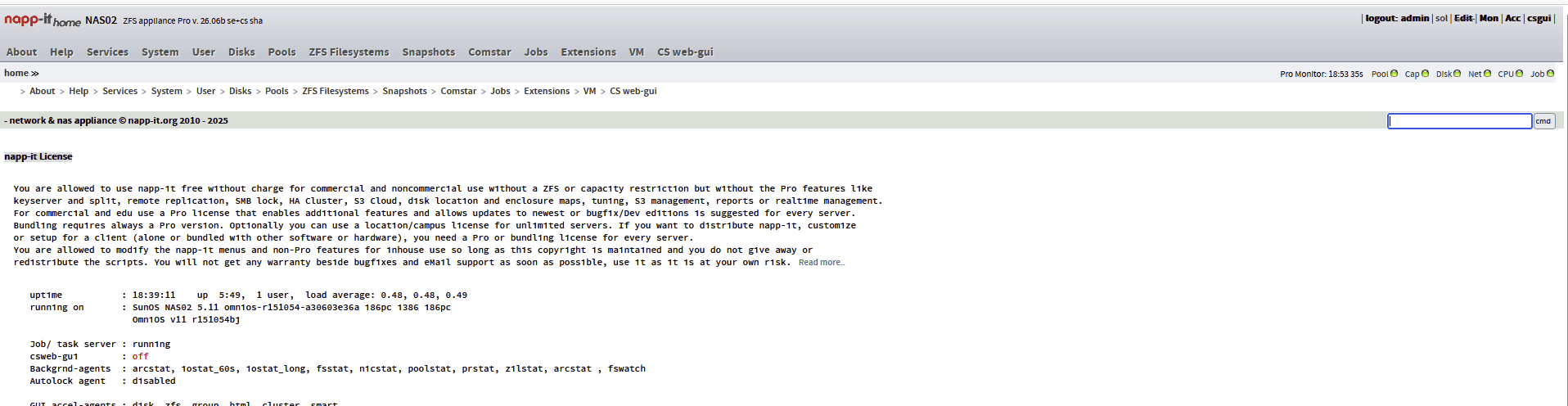
Aufrufen kann man sie dann auch

Vermutlich ein klassischer osi-8 Fehler? 🙈 Irgendwas übersehe ich hier offenbar. Daher wohl auch keinen aktiven Ports 80/443.
Code:
root@NAS02:/var/log/opt/ooce/apache-2.4# lsof -i -P -n | ggrep -E "IPv4.*LISTEN|:80|:443|:81|:82|:8080"
in.mpathd   77    root  3u  IPv4 0xfffffe16e181a800        0   TCP 127.0.0.1:5999 (LISTEN)
rpcbind    361  daemon 11u  IPv4 0xfffffe16e4cdc7c0        0   TCP *:* (LISTEN)
inetd      403    root 16u  IPv4 0xfffffe16e4d17800        0   TCP *:* (LISTEN)
sshd       481    root  8u  IPv4 0xfffffe16f09fc080        0   TCP *:22 (LISTEN)
napp-it-m 6536 napp-it  5u  IPv6 0xfffffe16f5e94040        0   TCP *:81 (LISTEN)
napp-it-m 6536 napp-it  6u  IPv4 0xfffffe16f5ea37c0        0   TCP *:81 (LISTEN)
httpd     6542    root  3u  IPv6 0xfffffe16f5e4a000        0   TCP *:8080 (LISTEN)
httpd     6542    root  6u  IPv6 0xfffffe16f5db7800        0   TCP *:82 (LISTEN)
httpd     6544 napp-it  3u  IPv6 0xfffffe16f5e4a000        0   TCP *:8080 (LISTEN)
httpd     6544 napp-it  6u  IPv6 0xfffffe16f5db7800        0   TCP *:82 (LISTEN)
httpd     6544 napp-it 16u  IPv6 0xfffffe16f3c4c7c0        0   TCP 192.168.1.94:8080->192.168.1.10:61787 (ESTABLISHED)
httpd     6545 napp-it  3u  IPv6 0xfffffe16f5e4a000        0   TCP *:8080 (LISTEN)
httpd     6545 napp-it  6u  IPv6 0xfffffe16f5db7800        0   TCP *:82 (LISTEN)
httpd     6546 napp-it  3u  IPv6 0xfffffe16f5e4a000        0   TCP *:8080 (LISTEN)
httpd     6546 napp-it  6u  IPv6 0xfffffe16f5db7800        0   TCP *:82 (LISTEN)
httpd     6622 napp-it  3u  IPv6 0xfffffe16f5e4a000        0   TCP *:8080 (LISTEN)
httpd     6622 napp-it  6u  IPv6 0xfffffe16f5db7800        0   TCP *:82 (LISTEN)
httpd     6622 napp-it 16u  IPv6 0xfffffe16f5fee800        0   TCP 192.168.1.94:82->192.168.1.10:61821 (ESTABLISHED)
root@NAS02:/var/log/opt/ooce/apache-2.4#
Sehe ich das richtig, dass http ausschliesslich vom mhttp behandelt wird und nur https an den apache weitergeschickt wird?
Die nächste spannende Frage, wenn man sich die Entwicklung der beiden Edition se und cs anschaut, die sich ja immer mehr
in Richtung Vereinheitlichung zu cs bewegen zu scheint. Kann ich die cs parallel nutzend aktivieren um mal einen Eindruck
zu gewinnen? Was verliere ich dabei (oder gewinne ich ggfs. sogar 😉)? Sind es aktuell eher noch nicht umgesetzte Funktionen
in der cs GUI im Vergleich zu klassichen se GUI?
Kann des cs backend einfach parallel zur se laufen lassen und je nach Bedarf kann man die eine oder andere GUI nutzen?
Beim Versuch die csgui mal im top level Menü zu aktivieren tut sich irgendwie nicht so Recht was, in der Übersicht steht
dann weiterhin csweb-gui "off"
Aufrufen kann man sie dann auch
Vermutlich ein klassischer osi-8 Fehler? 🙈 Irgendwas übersehe ich hier offenbar. Daher wohl auch keinen aktiven Ports 80/443.
Das ist natürlich unschön, da man dann wieder beim Zugriff auf die se via https, mit expliziten Portangaben arbeiten muss
Bisher war napp-it se das Hauptprodukt unter Solaris/Illumos,
Bis auf Comstar/iSCSI hat cs jetzt alle wichtigen se Funktionen und ist OS unabhänig, daher erhält cs die Standardports
Sehe ich das richtig, dass http ausschliesslich vom mhttp behandelt wird und nur https an den apache weitergeschickt wird?
ja, ich hatte ursprünglich vor, komplett auf Apache zu wechseln, da minihttpd mit https Probleme hat
Die nächste spannende Frage, wenn man sich die Entwicklung der beiden Edition se und cs anschaut, die sich ja immer mehr
in Richtung Vereinheitlichung zu cs bewegen zu scheint. Kann ich die cs parallel nutzend aktivieren um mal einen Eindruck
zu gewinnen?
ja, daher die unterschiedlichen Ports. Da beide mit zpool und zfs arbeiten, sind sie kompatibel. In cs kann man auch Jobs aus se (Replikation, snap, scrub) importieren und direkt damit weiterarbeiten
Was verliere ich dabei (oder gewinne ich ggfs. sogar 😉)? Sind es aktuell eher noch nicht umgesetzte Funktionen
in der cs GUI im Vergleich zu klassichen se GUI?
Comstar/iSCSI fehlt in cs. Das ist aber ein Riesenbrocken- ich habe zudem den Eindruck, iSCSI wird immer unwichtiger.
Die neuen Funktionen (Cluster, S3+SMB, encrypted cs-sync und cs-stream) sind napp-it cs only.
Kann des cs backend einfach parallel zur se laufen lassen und je nach Bedarf kann man die eine oder andere GUI nutzen?
Beim Versuch die csgui mal im top level Menü zu aktivieren tut sich irgendwie nicht so Recht was, in der Übersicht steht
dann weiterhin csweb-gui "off"
das Topmenü in se ist obsolet (ist bereits entfernt).
Napp-it cs (auto)start siehe https://www.napp-it.org/downloads.html
Vermutlich ein klassischer osi-8 Fehler? 🙈 Irgendwas übersehe ich hier offenbar. Daher wohl auch keinen aktiven Ports 80/443.
Eher work in progress, Bisher war cs im Apache se integriert, ab der aktuellen Version sind es zwei völlig getennte Installationen, selbst der Ort ist jetzt anders (se liegt in /var/web-gui, cs liegt universell in /opt/csweb-gui
Ports:
napp-it se 81/82
napp-it cs 80/443
Danke für die etwas aufklärenden Worte, demnach müsste ich quasi cs manuell "hinzuinstallieren", laut Doku auf deiner
Homepage. Das muss ich mir mal in einer ruhigen Minute genauer angucken. Zumal du schreibst, man könne Jobs nach
cs importieren - klingt ja eher nach alter ODER neuer Welt am Ende des Tages. Sonst läufts dann vermutlich doppelt 😯
Die explizite Portproblematik für se habe ich jetzt mit NPM erst mal umgangen.
Gerade iSCSI setze ich auch aktiv ein. Klar sind so Sachen wie S3 natürlich nett, aber kommt halt auch immer drauf an,
was man letztlich damit macht. NFS hat sich bei mir als Basis für ein PBS Storage als ziemlich ungeeignet erwiesen, daher
der Wechsel auf iSCSI.
Erst mal Danke für die raschen Antworten und die Fehlerbehebung.
Homepage. Das muss ich mir mal in einer ruhigen Minute genauer angucken. Zumal du schreibst, man könne Jobs nach
cs importieren - klingt ja eher nach alter ODER neuer Welt am Ende des Tages. Sonst läufts dann vermutlich doppelt 😯
Die explizite Portproblematik für se habe ich jetzt mit NPM erst mal umgangen.
Gerade iSCSI setze ich auch aktiv ein. Klar sind so Sachen wie S3 natürlich nett, aber kommt halt auch immer drauf an,
was man letztlich damit macht. NFS hat sich bei mir als Basis für ein PBS Storage als ziemlich ungeeignet erwiesen, daher
der Wechsel auf iSCSI.
Erst mal Danke für die raschen Antworten und die Fehlerbehebung.
PBS schreibt viele kleine Dateien/Chunks. Das ist iSCSI sehr gut, ist aber auch eine Spezialität für S3 - da gibts dann sogar selbstorganisierende Bucket/Site (LAN mirror) Replikation obendrauf. S3 ist zudem viel einfacher im Handling als iSCSI, z.B. https://rustfs.com/
ps
noch rc 1.0 beta, release candidate absehbar, produktiv eventuell ab Oktober (ein paar Wochen abwarten nachdem 1.0 released)
ps
noch rc 1.0 beta, release candidate absehbar, produktiv eventuell ab Oktober (ein paar Wochen abwarten nachdem 1.0 released)
Ähnliche Themen
- Antworten
- 58
- Aufrufe
- 5K